6
Remote Control
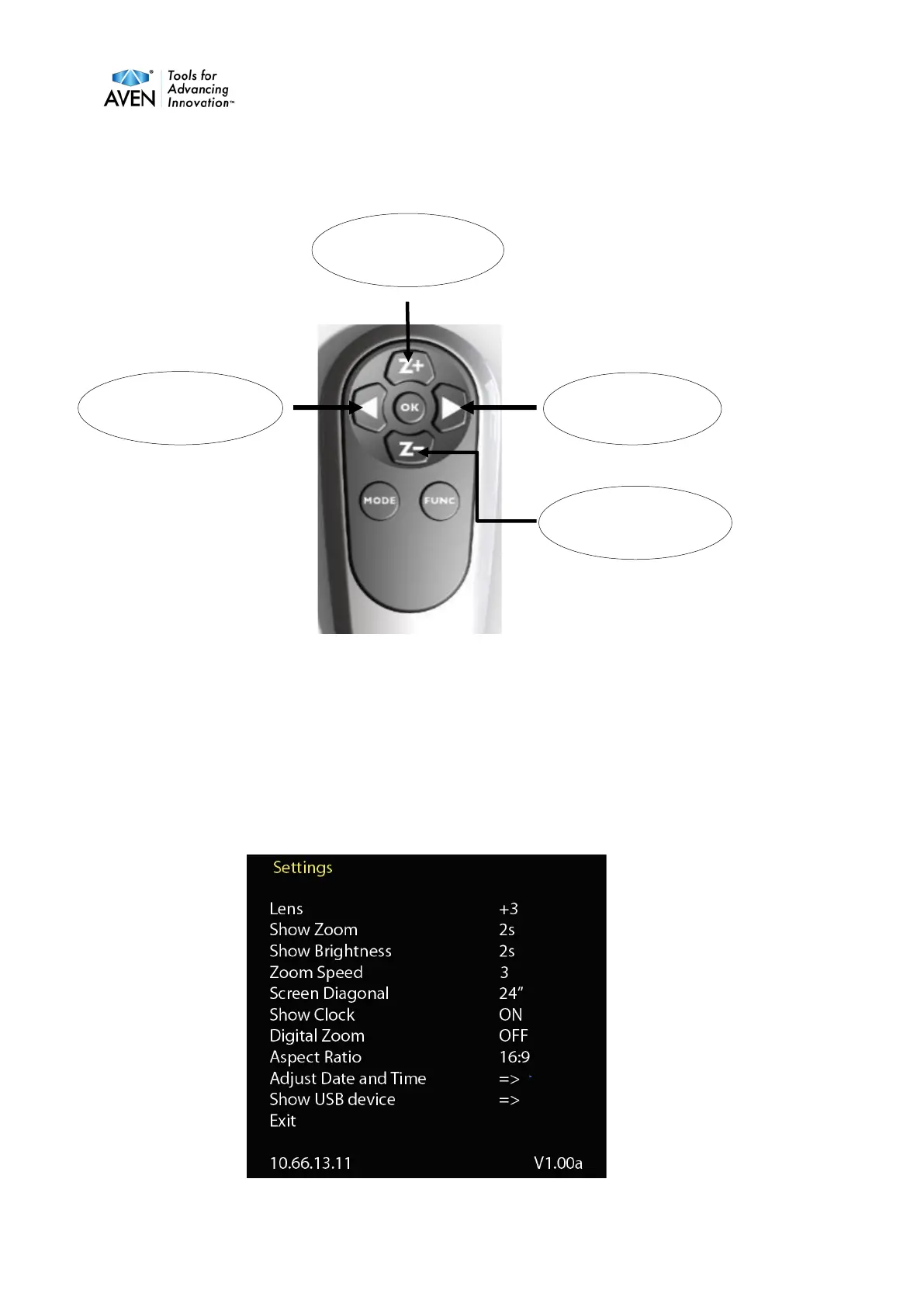
Z+ Zoom in. Z - Zoom out. Increase brightness. Decrease brightness. Press Func short
and autofocus will go off / on. When autofocus is off, & will change functions to adjust
focus as a manual focus. OK change magnification to wide and show an artificial cross.
Next press on OK the magnification goes back to previous magnification. A quick press to
Mode camera will change between color and greyscale.
A longer press on the Mode button stores pictures to the memory stick if its inserted.
A long Press to the Func button and you will get the menu to be shown.


 To Next Page