8
Warranty
2 years warranty for factory faults.
Aven Software.
Installation: SharpVue Software only works on Windows 10. We recommend that your PC has
1920x1080 as minimum resolution, if you use the PC with an external monitor, don’t use
Extended or dual mode unless the resolution on both Displays are the same.
Click on the SharpVue Appxbundle file, accept the Camera, Mic, folder request.
You can now start the SharpVue application. If a previous version been installed, we
recommend that it uninstalled before a new one is installed. On some Windows 10
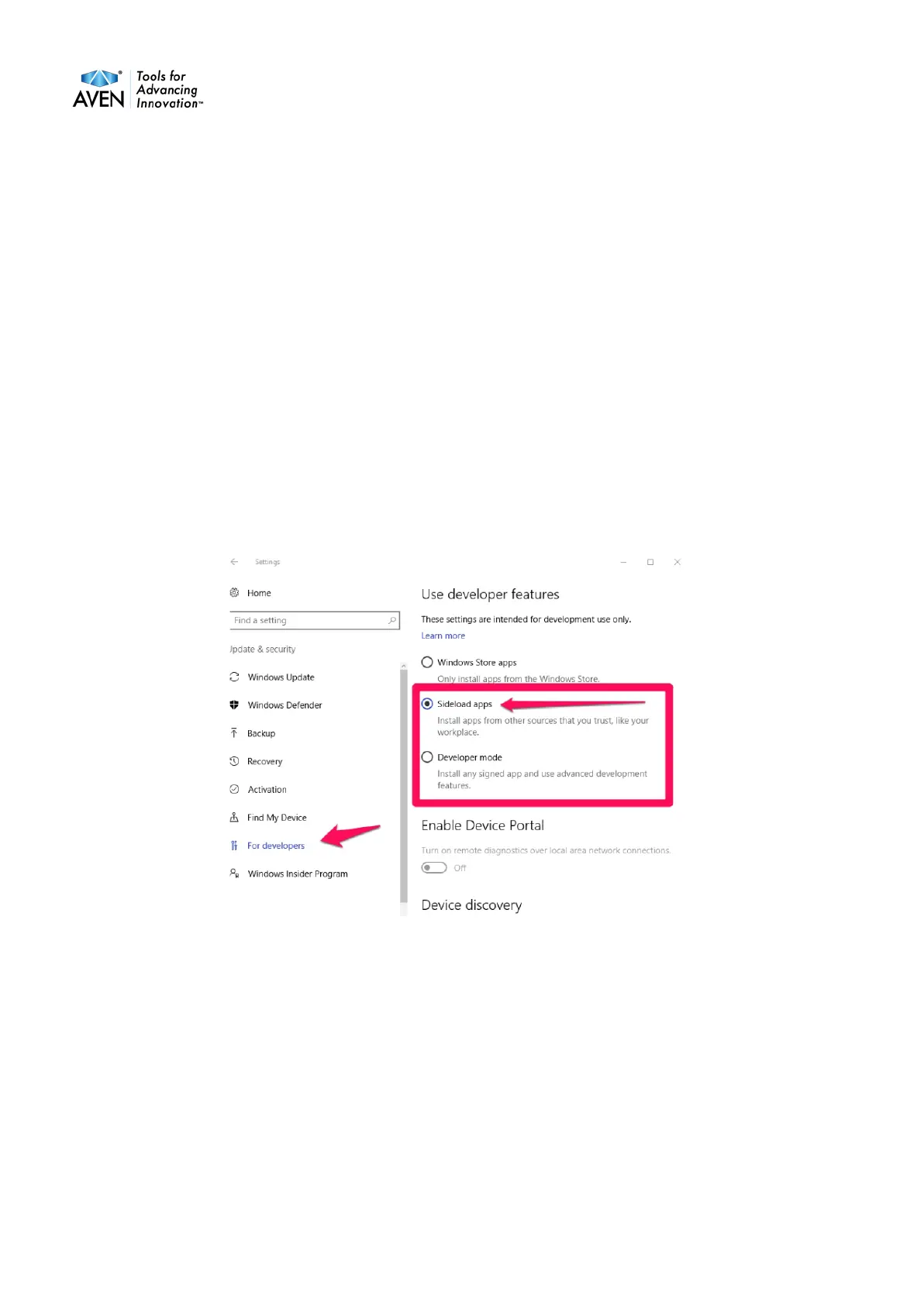
PC’s it can be necessary to set the settings to Allow sideload apps.


 To Next Page