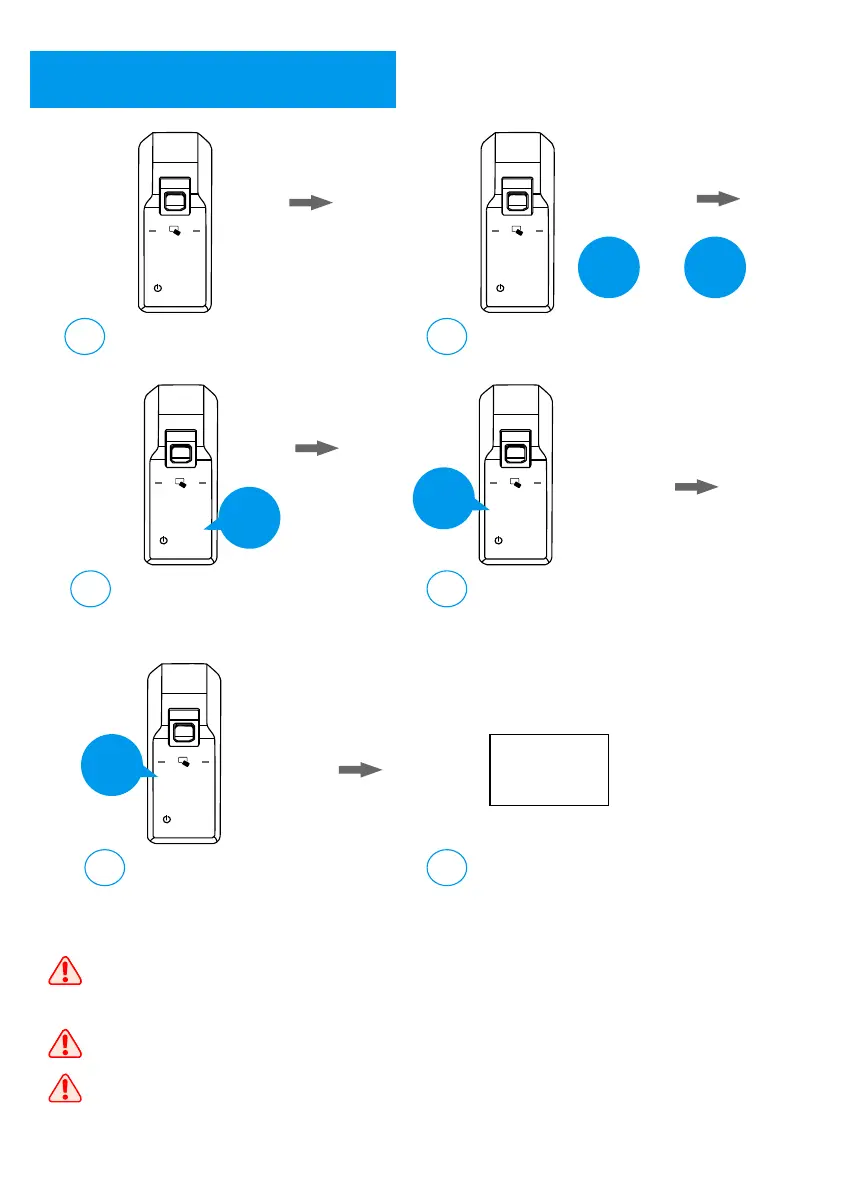
Date and Time Setting
7
Activate the lock;
a
Input 0 and #;
b
1 2 3
4 5 6
7 8 9
0
#
1 2 3
4 5 6
7 8 9
0
#
0
#
+
Input the master user
for authorization;
c
1 2 3
4 5 6
7 8 9
0
#
***
Master
Input 4 for system setting;
d
1 2 3
4 5 6
7 8 9
0
#
4
Input 1 for date and time setting;
e
1 2 3
4 5 6
7 8 9
0
#
Input the date and time
by Year – Month – Day - HH – MM;
f
1
YY-MM-DD
HH-MM
There are 2 digits available for the date, which means you only can input
2 digits for the year, month, and day. For example, 2019 will be 19,
March will be 03, first day will be 01.
The time is 24 hours format. For example: 2:00 PM will be 14:00.
Please update the time to the current time before use.
10



 To Next Page