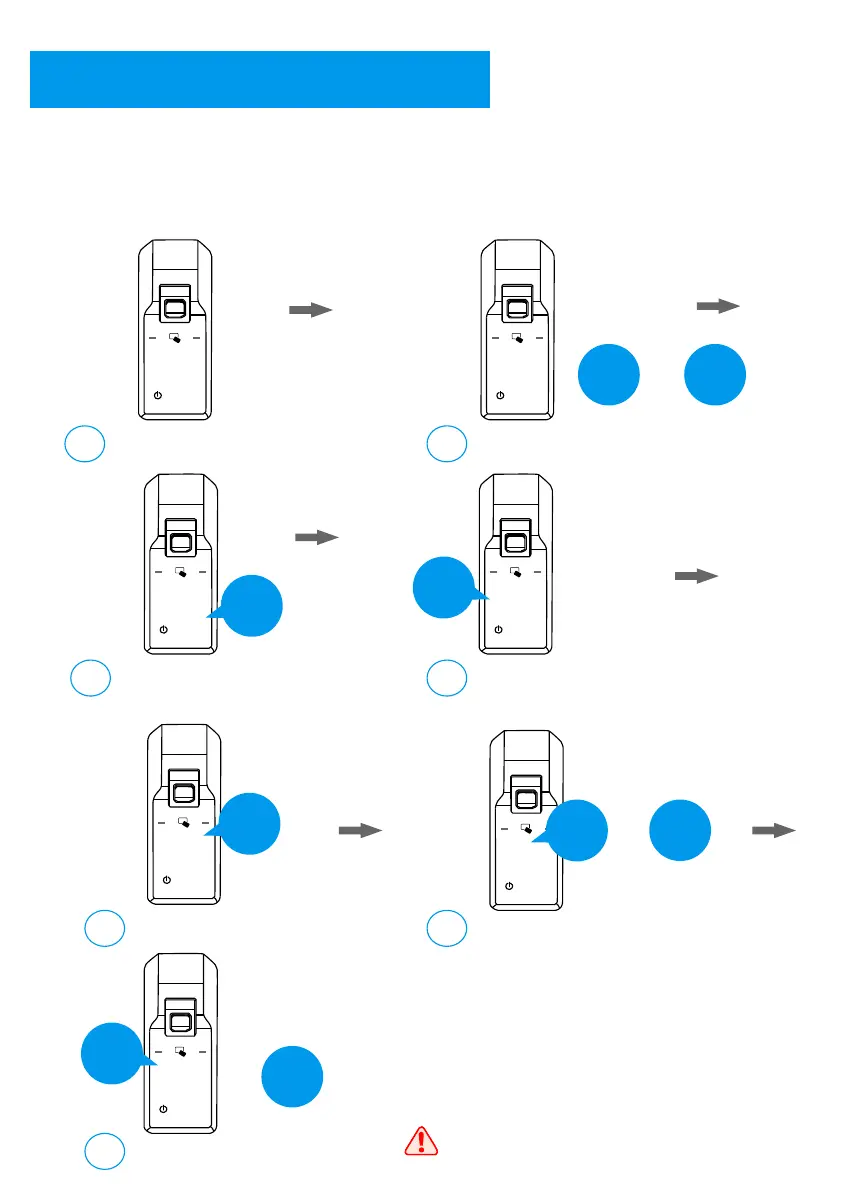
Random Password Protection
9
Activate the lock;
a
Input 0 and #;
b
1 2 3
4 5 6
7 8 9
0
#
1 2 3
4 5 6
7 8 9
0
#
0
#
+
Input the master user
for authorization;
c
1 2 3
4 5 6
7 8 9
0
#
Input 4 for system setting;
d
1 2 3
4 5 6
7 8 9
0
#
4
Input 4 for random password protect;
e
1 2 3
4 5 6
7 8 9
0
#
Enable: input 2 and confirm with #
f
4
If you need a higher security to protect the password, you can activate the random
password protection. Under this protection, you can input some number before and
behind the real password, however, during you are inputting the real password, you
have to input the full correct password.
1 2 3
4 5 6
7 8 9
0
#
2
#
+
Disable: input 1 and confirm with #
g
1 2 3
4 5 6
7 8 9
0
#
1
#
+
This protect is enable in factory default.
12
***
Master



 To Next Page