10
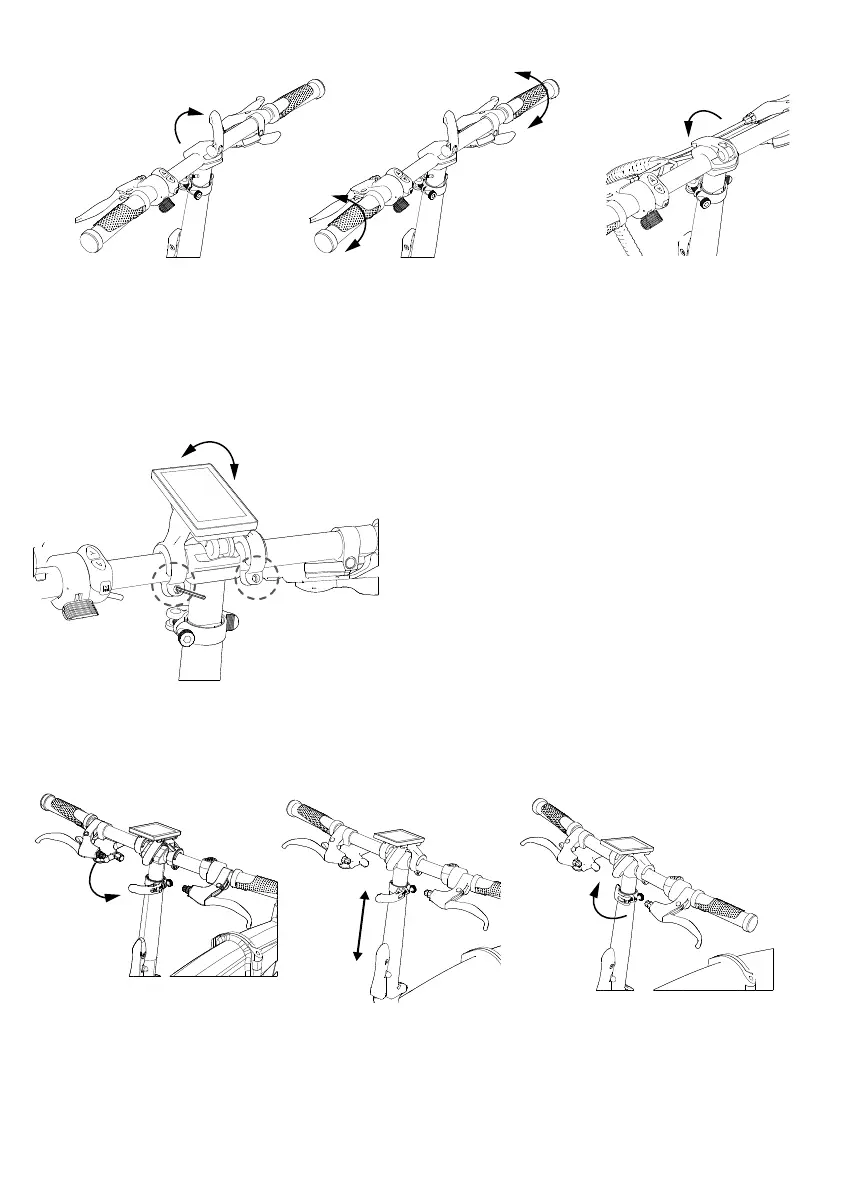
Step 4. Display adjustment.
A. Use a 3mm hex key to loosen display screws.
B. The screws will be installed on the backside of the display bracket for shipping purposes.
C.Rotate the display to the desired angle and use a 3mm hex key to tighten the display onto the handlebar.
Step 5. Release the clamp under the handlebar, pull the handlebar up or push it down to adjust height to
your desired, then close the clamp to secure handlebar in place.


 To Next Page