04
INSTALLATION
INSTALLATION
Aegis
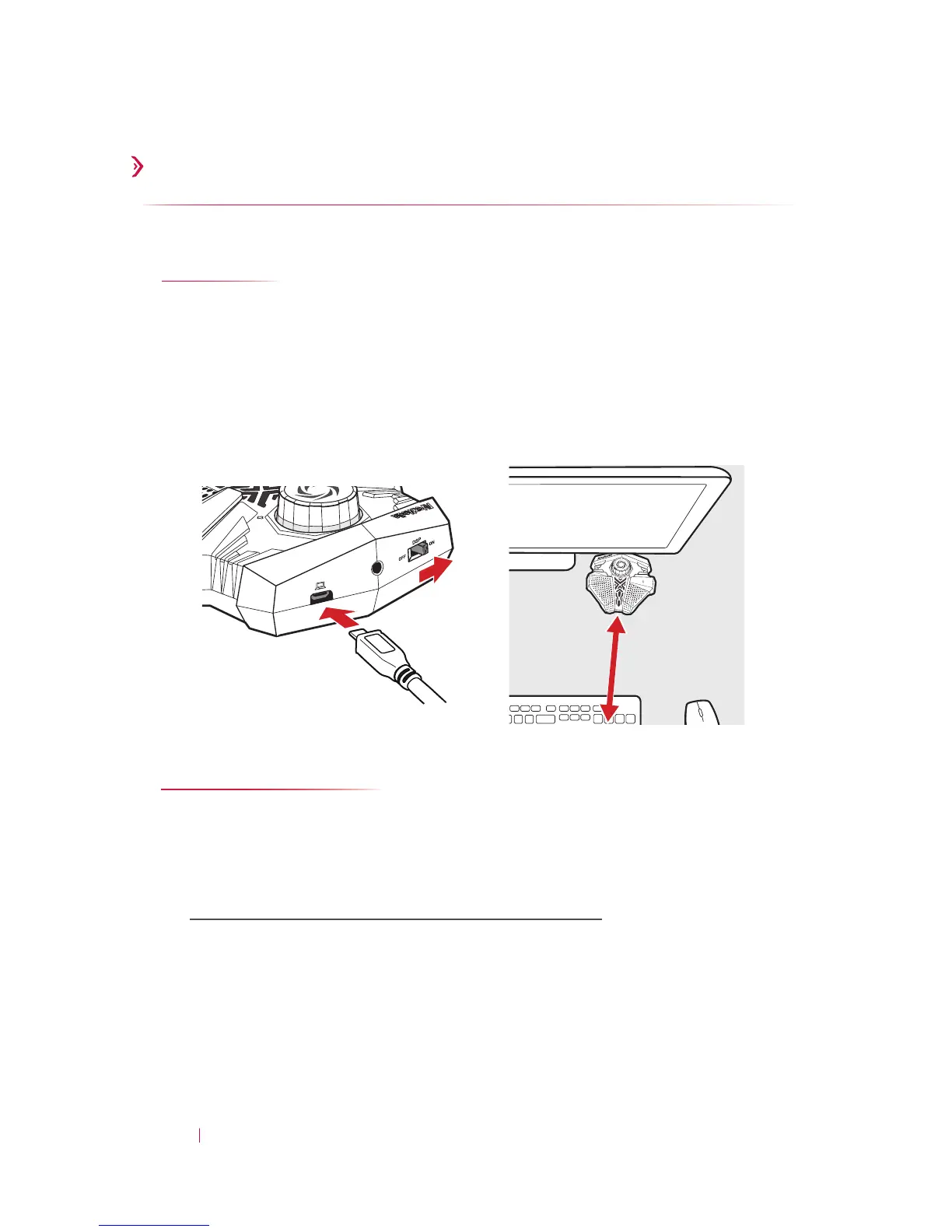
Follow the steps below to set up your Aegis:
1. Connect Aegis to your PC
2. Flick the DSP Switch ON
3. Position Aegis conveniently in front, up to 60 cm from you
2
1
Voice Engine
Voice Engine is a sound calibration utility that activates the
Speaker Sound Suppression technology inside your Aegis.
1. Download the installation file from:
http://q.avermedia.com/gm310-download
2. Install and run Voice Engine
3. Follow the on-screen instructions to optimize your sound
3
≤ 60 cm


 To Next Page
 Loading...