EasyManua.ls Logo

Avermedia AVerVision300AF - User Manual

Avermedia AVerVision300AF
31 pages
Print Icon
To Next Page IconTo Next Page
Loading...
AVerMedia
®
AVerVision300AF
User Manual
A
V
erMedia
®
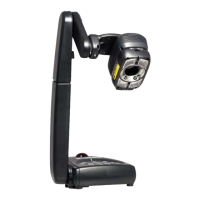
Digital Document Camera
Question and Answer IconNeed help?

Do you have a question about the Avermedia AVerVision300AF and is the answer not in the manual?

Summary

AVerVision300 AF Component Identification

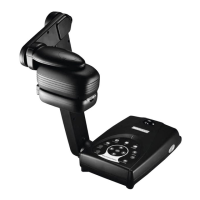
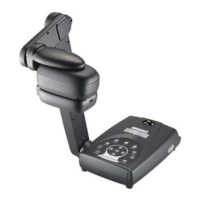
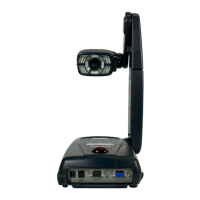
Product Component Overview

Identifies the main components and ports of the AVerVision300AF document camera.

Connecting the AVerVision300 AF

Port Connectivity Guide

Explains the purpose and connection types for various ports on the device.

Setting Up Your AVerVision300 AF

Camera Head Adjustment

Details on rotating and adjusting the camera head for optimal picture quality.

Mechanical Arm Adjustment

Information on adjusting the mechanical arm for A4 paper landscape viewing.

Infrared Remote Control Operation

Remote Control Button Functions

Details the functions of various buttons on the infrared remote control.

Touch Panel Controls

Touch Panel Button Functions

Explains the functions of the touch buttons on the document camera.

LED Indicator Status

LED Status Indicators

Describes the meaning of the LED colors indicating unit status.

Timer Functionality

Setting and Starting the Timer

Steps for setting up and starting the countdown timer.

OSD Navigation Guide

OSD Menu Structure Overview

Visual guide to navigating the On-Screen Display (OSD) menu options.

Menu Function Details

Menu Function Adjustments

Explains adjustments for Brightness, Contrast, Zoom, Timer, and Mode selection.

RS-232 C Connection Diagram

RS-232 C Connection Setup

Illustrates the RS-232C connection diagram for PC control.

RS-232 C Communication Specs

RS-232 C Communication Details

Covers cable specs, transmission specs, format, and command table.

Troubleshooting Common Issues

Common Troubleshooting Scenarios

Addresses issues like no picture, distorted image, no computer signal, and desktop display.

Limited Warranty Information

Warranty Coverage and Limitations

Details warranty period, coverage, exclusions, and limitations.

Warranty Disclaimers and Legal

Warranty Disclaimers and Liability

Covers warranty disclaimers, liability limitations, and governing law.

Summary

AVerVision300 AF Component Identification

Product Component Overview

Identifies the main components and ports of the AVerVision300AF document camera.

Connecting the AVerVision300 AF

Port Connectivity Guide

Explains the purpose and connection types for various ports on the device.

Setting Up Your AVerVision300 AF

Camera Head Adjustment

Details on rotating and adjusting the camera head for optimal picture quality.

Mechanical Arm Adjustment

Information on adjusting the mechanical arm for A4 paper landscape viewing.

Infrared Remote Control Operation

Remote Control Button Functions

Details the functions of various buttons on the infrared remote control.

Touch Panel Controls

Touch Panel Button Functions

Explains the functions of the touch buttons on the document camera.

LED Indicator Status

LED Status Indicators

Describes the meaning of the LED colors indicating unit status.

Timer Functionality

Setting and Starting the Timer

Steps for setting up and starting the countdown timer.

OSD Navigation Guide

OSD Menu Structure Overview

Visual guide to navigating the On-Screen Display (OSD) menu options.

Menu Function Details

Menu Function Adjustments

Explains adjustments for Brightness, Contrast, Zoom, Timer, and Mode selection.

RS-232 C Connection Diagram

RS-232 C Connection Setup

Illustrates the RS-232C connection diagram for PC control.

RS-232 C Communication Specs

RS-232 C Communication Details

Covers cable specs, transmission specs, format, and command table.

Troubleshooting Common Issues

Common Troubleshooting Scenarios

Addresses issues like no picture, distorted image, no computer signal, and desktop display.

Limited Warranty Information

Warranty Coverage and Limitations

Details warranty period, coverage, exclusions, and limitations.

Warranty Disclaimers and Legal

Warranty Disclaimers and Liability

Covers warranty disclaimers, liability limitations, and governing law.

Avermedia AVerVision300AF Specifications

General IconGeneral
Camera TypeDocument Camera
Image Sensor1/3" CMOS
Max Resolution1920 x 1080
Frame Rate30 fps
FocusAuto/Manual
ConnectivityUSB 2.0
LampLED
InterfaceUSB
Output InterfaceHDMI, VGA
CompatibilityWindows, Mac
Zoom8x digital
Shooting AreaA4
LightingLED
Weight1.9kg
Image EffectsColor/B&W/Negative/Mirror/Rotate

Related product manuals