EasyManua.ls Logo

Avermedia Document Camera - Adjusting the AVerVision300 p

Avermedia Document Camera
36 pages
Print Icon
To Next Page IconTo Next Page
To Previous Page IconTo Previous Page
Loading...
10
A
A
d
d
j
j
u
u
s
s
t
t
i
i
n
n
g
g
t
t
h
h
e
e
A
A
V
V
e
e
r
r
V
V
i
i
s
s
i
i
o
o
n
n
3
3
0
0
0
0
p
p
This section provides illustrated useful tips on how to adjust the AVerVision300p to meet
your needs.
C
C
a
a
m
m
e
e
r
r
a
a
H
H
e
e
a
a
d
d
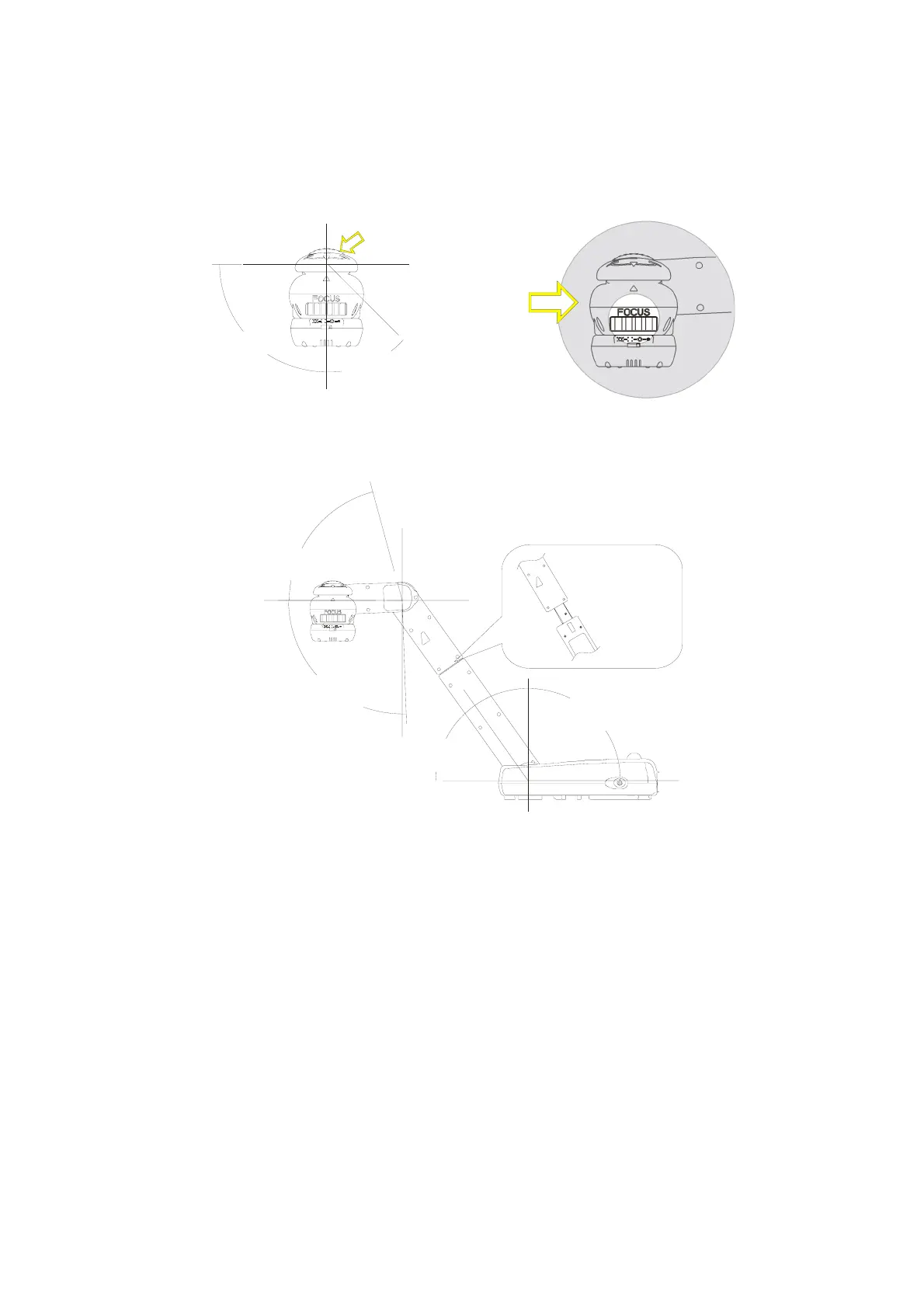
The camera head can be rotated 135 degrees from left to right. You can also manually
adjust the focus from here to improve the quality of the pictures.
Adjust the angle here
at the ridged side
Adjust the
focus here
45 degrees
90 degrees
Camera Head
M
M
e
e
c
c
h
h
a
a
n
n
i
i
c
c
a
a
l
l
A
A
r
r
m
m
AVerVision300p features a mechanical arm that enables you to project an image to its
full height for full A4 paper landscape viewing.
75 degrees
92 degrees
60 degrees
120 degrees
Extendable up to
122mm (4.8 in) long