EN-5
Loading Labels – Right Printer
1. Turn on the printer then open the cover.
2. Pull on the supply tab.
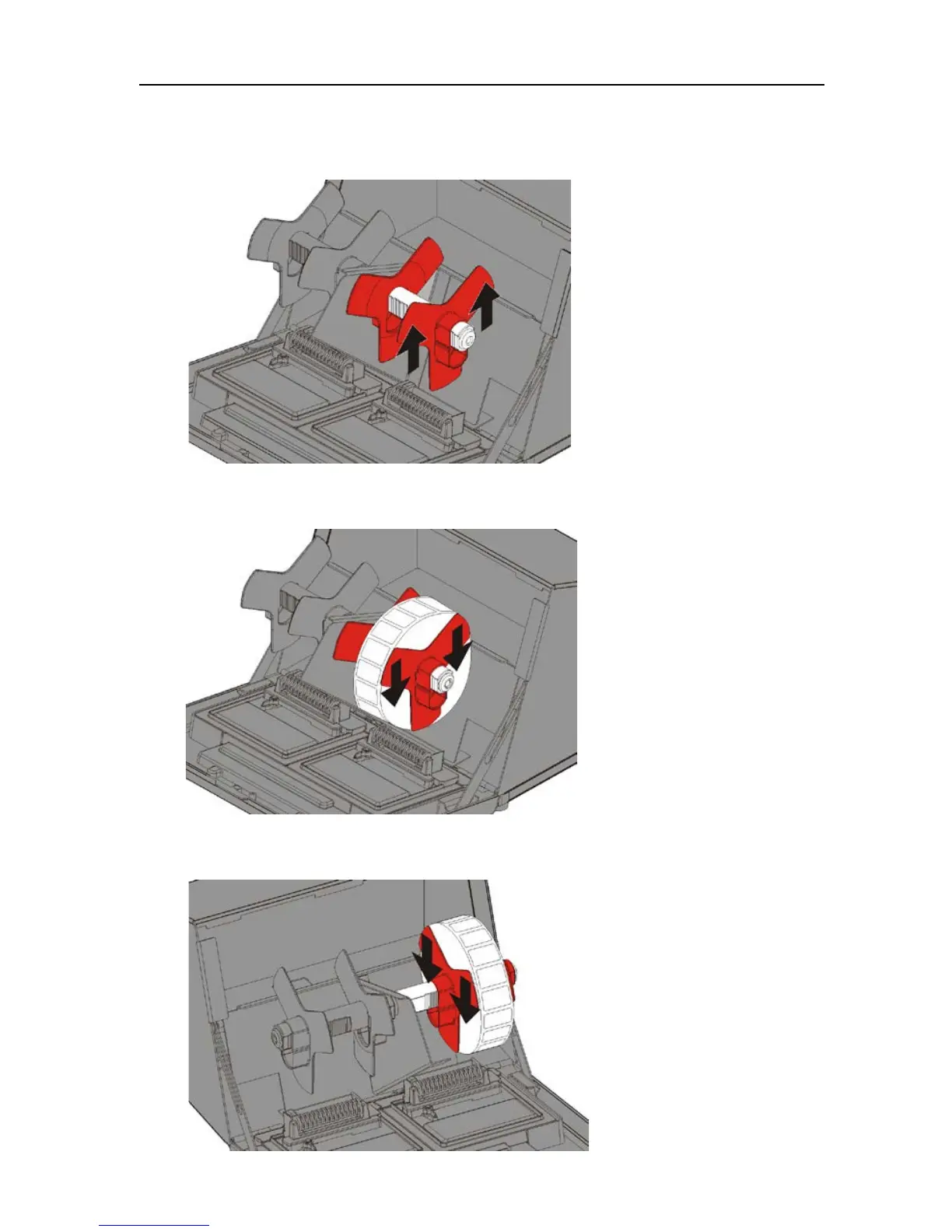
3. Unlock the outer supply guide and remove it.
4. Place a roll of labels (label side up) on the supply holder.
5. Replace the outer supply guide and lock it in place.
6. Unlock the inner supply guide, move it until it touches the
supply, lock it into place.











 To Next Page