9
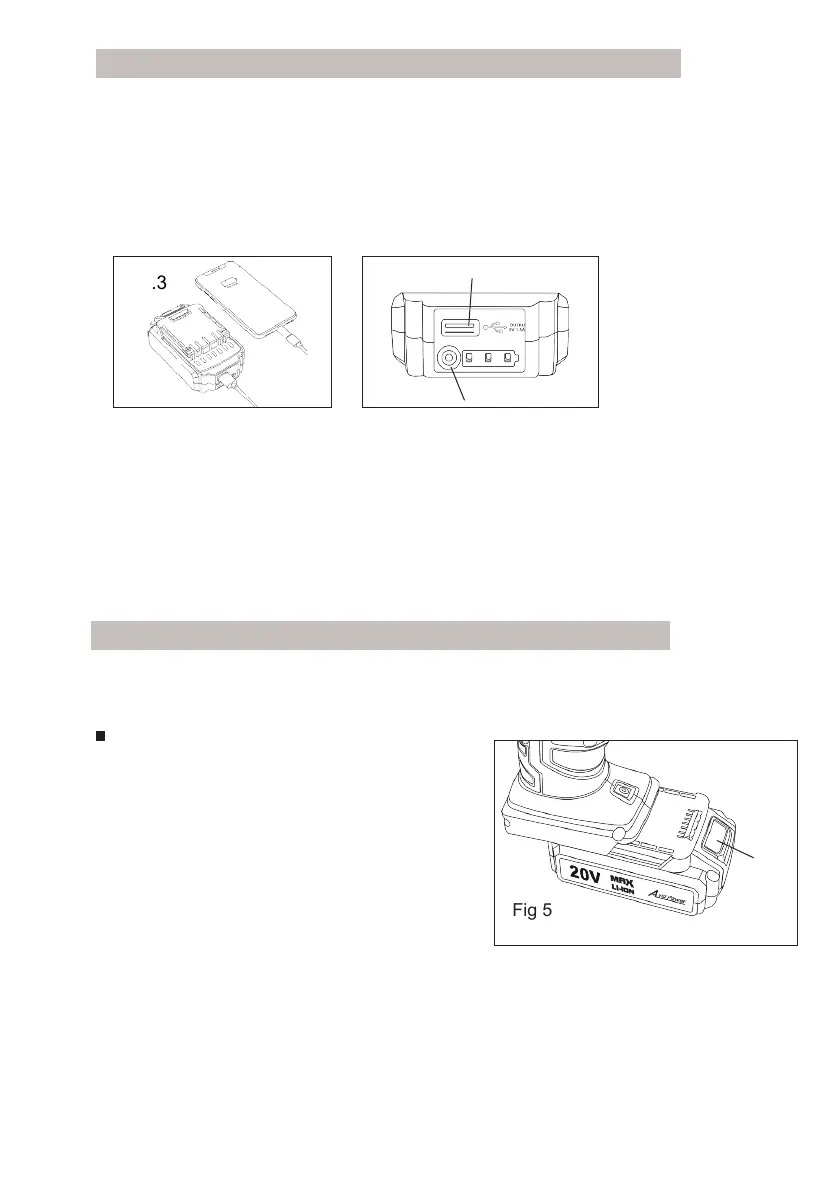
USB OUTPUT FOR OTHER DEVICES CHARGING
Fig.4
Fig.3
A
B
1. Plug the USB cable into the USB Output Port (A) on the battery
pack (Fig.3)
2. Press the button (B) for charging (Fig.4)
OPERATING
Step 1: Install Battery Pack or 12 Car Power Adapter
HOW TO USE
3. Press the button (B) to display the battery level.(Fig.4). Three lights
on the battery indicates a full charge. Two lights show 50% of the power
while one light shows 25%
.
Install or remove battery pack(Fig.5)
To install : slide battery pack into the bottom
of the tool until you hear a click. Make sure
that the latch in place and battery is secure
before operation.
To remove: Press the battery release latch
and pull the battery pack out at the same time.
Fig 5
NOTE: please remove the charger from the battery before checking
the battery level.
Latch


 To Next Page