CRANE Co.
280N MIDLAND AVENUE, STE.258, SADDLE BROOK, NJ 07663 TEL: 201-794-7650 FAX: 201-794-0913
www.avidcontrols.com
01/05/2018 TECH-537/ D.W.O. 23142 Page 14 of 21
4.4.10 Cancelling Calibration
When the LCD displays “AUTO CAL” and you do not want to perform this operation. Do
nothing. Within 15 seconds the function displayed is canceled and the LCD display
reverts back to opening percentage “xx %”
If starting an Auto Calibration by mistake. Wait 5 seconds and press again. LCD
shows “CALIBRATION CANCELED”. The LCD display will revert to opening percentage
“xx %” after 20 seconds.
4.4.11 To reset to the Factory Default Settings
Press
SEL
Key until the LCD scrolls “Restore Factory Default” .
Press Down arrow until LCD reads “Hold Key”.
Press and hold Key.
LCD will scroll “Factory Default Success”
Factory default settings are now enabled.
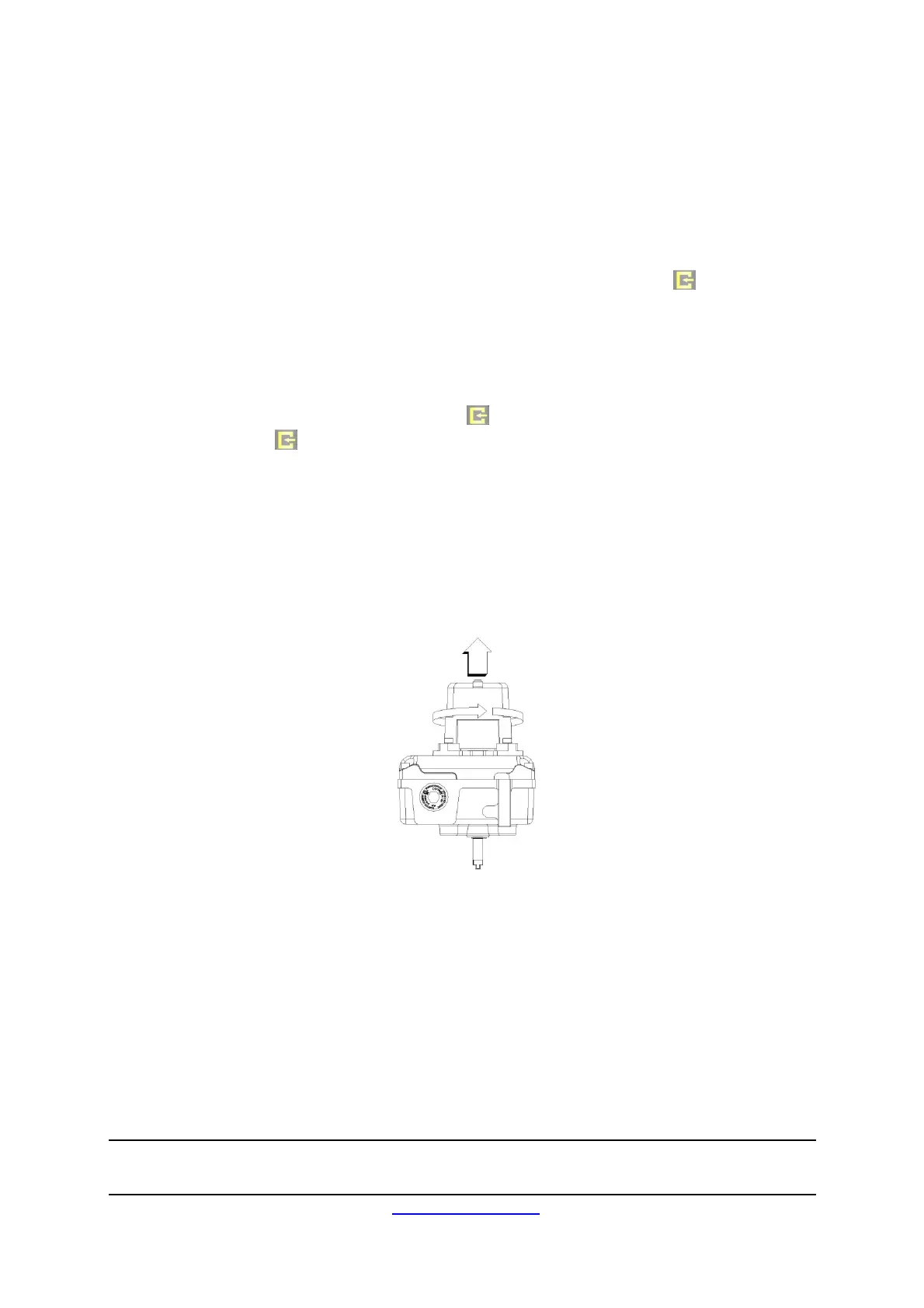
4.5 EasiFix self-locking Cams.
To release the cover, loosen the cover retaining screws using a 4mm A/F Allen Key. Lift
the cover and twist approx. 45° and remove. See Figure 5 below.
Figure 5
To set switches, lift the bottom Touch Set cam and turn until the switch has activated and
then release. The spring will push the EasiFix self-locking cam back onto the splined shaft.
See figure 6.
To set switches, lift the bottom Touch Set cam and turn until the switch has activated and
then release. The spring will push the EasiFix self-locking cam back onto the splined shaft.
See figure 6.


 To Next Page