9
ENEN
C - CONFiGurATiON
BLUETOOTH SPEAKER LIGHT BULB
Music Feature:
Note: if you use your smartphone or tablet’s
integratedplayer,soundis also transmitted tothe
bulb.
1
2
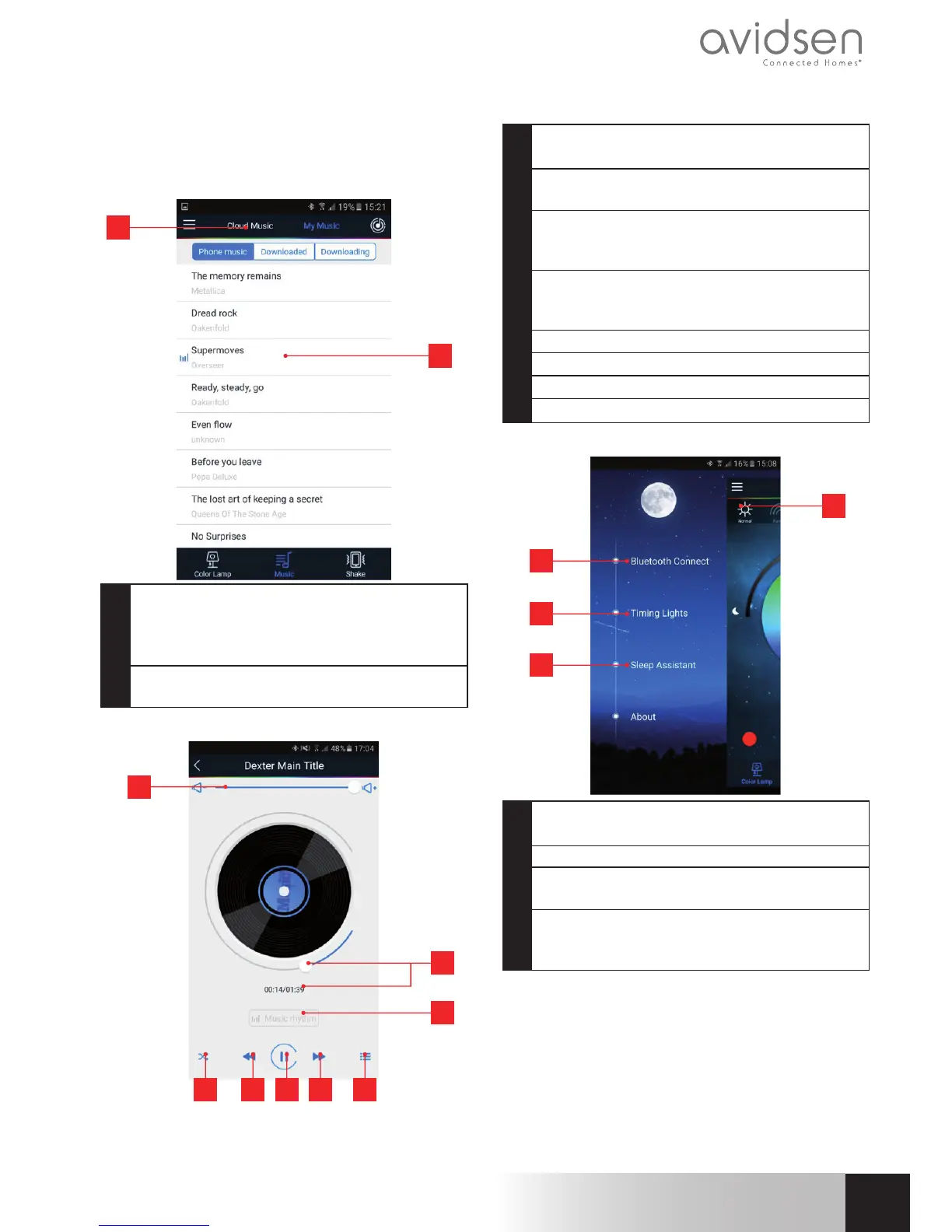
1 Clickon“Cloudmusic”toselectstreaming
music(Spotify/MagicPlaylist/8tracks/Last.fm)
orclickonMyMusictoshowmusicsavedon
yoursmartphoneortablet
2 Clickonthemusicyouwanttoplayonyour
bulb’sspeakerandselectaplayer
While playing:
4 5 6 7 8
1
2
3
1 Volumecontrol(yoursmartphoneortablet’s
integratedvolumecontrolswillalsowork)
2 Lengthandremainingtimeoftrackcurrently
playing
3 Clickheretomakeyourbulbblinkand
changecolourtotherhythmofthetrack
that’scurrentlyplaying
4 Repeat(Order:fulllist;Repeat:onlycurrently-
playingselection)andrandomplay(Shufe)
features
5 Previoustrackonplaylist
6 Play/Pause
7 Nexttrackonplaylist
8 Gobacktofullplaylist
Advanced features:
2
3
4
1 Clickonthisicontodisplaythelistof
advancedfeatures
2 Gobacktolistofdetectedbulbs 3
3 Alarmfeature:letsyousettimewhenbulbis
onand/orwhenmusicplays.(seefollowingpage)
4 Sleeptimerfeature:letsyousetamountof
timebeforelightturnsoffandprogressively
lowervolume.
1


 To Next Page
 Loading...