EN
10
C - CONFiGurATiON
BLUETOOTH SPEAKER LIGHT BULB
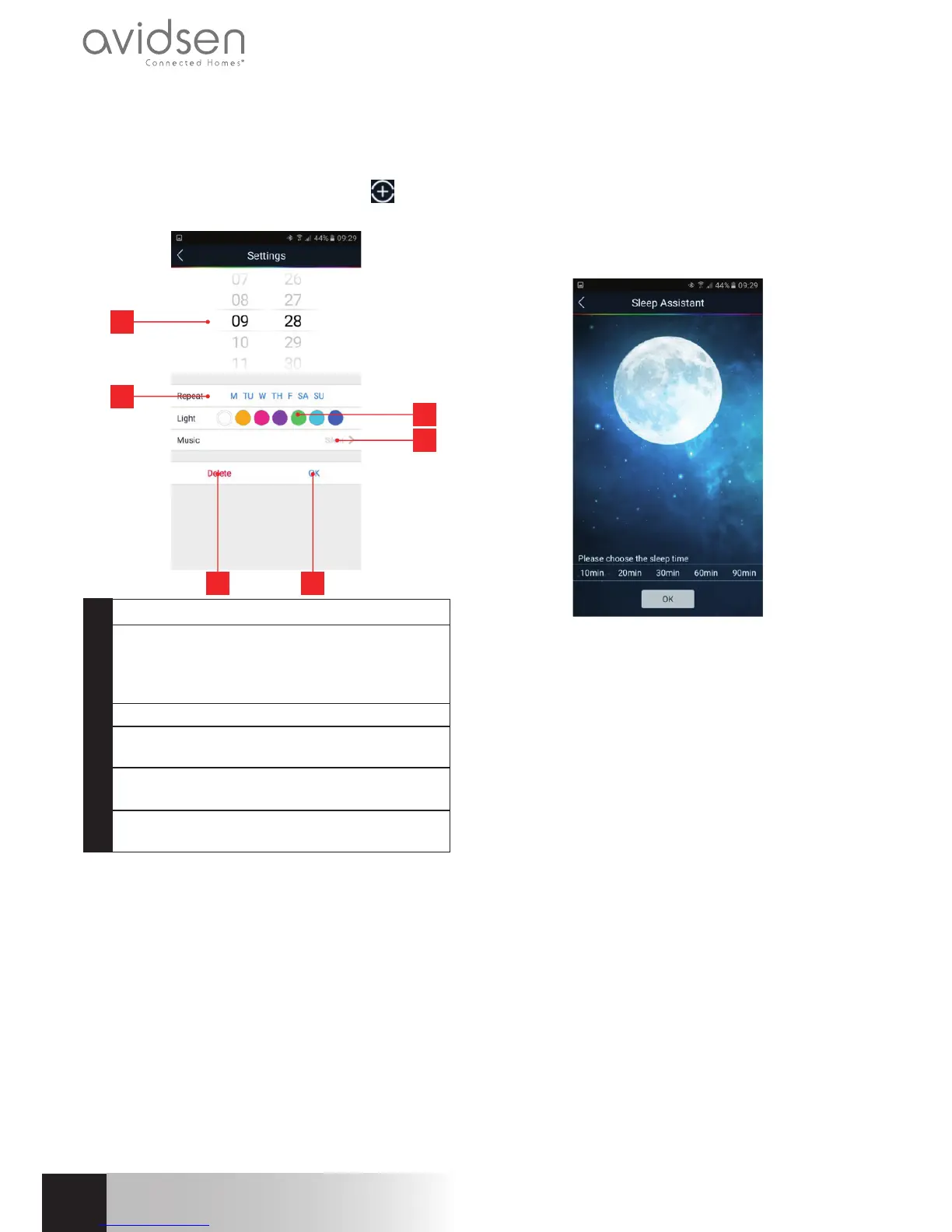
Alarm feature:
Youcansetdailyalarms,selectingwhenthelightwill
come on, what colour the light will be, and what
musictoplay,ifyouwant.Clickonthe
iconto
addanalarm:
5 6
1
2
3
4
1 Alarmtime
2 Daysofweekwhenalarmison:M=
Monday,TU=Tuesday,W=Wednesday,
TH=Thursday,F=Friday,SA=Saturday,
SU=Sunday.
3 Lightbulb’scolourwhenalarmgoesoff
4 Musictoplay(Leaveon“silent”ifyoudon’t
wantanythingtoplay)
5 Ifyouwanttodeletethealarmyou’re
currentlyediting,clickDelete
6 ClickOKtosaveandactivatethe
programmedentry
Warning:inorderforthealarmtogooffattheright
time,yoursmartphoneortabletmustbeconnected
toyourbulbatthesettime.
Sleep timer feature:
Hereiswhereyoucansetwhenyouwantthebulbto
gooffbeforeyoufallasleep.Onceyou’veselecteda
duration(10to90min.)clickon“OK”:acountdown
timerappearsandthebulbprogressivelylowersthe
sounduntilthesoundandlightareoffattheendof
theselectedtime:
Manual use:
If you turn off the bulb with a light switch, it will
disappear from the list of Bluetooth-connected
accessoriesavailableonyoursmartphoneortablet.
When you turn powerback on with a switch, the
bulb’swhitelightautomaticallycomeson.


 To Next Page
 Loading...