User’s Manual
3-7
3.1.3 Scanning Cards
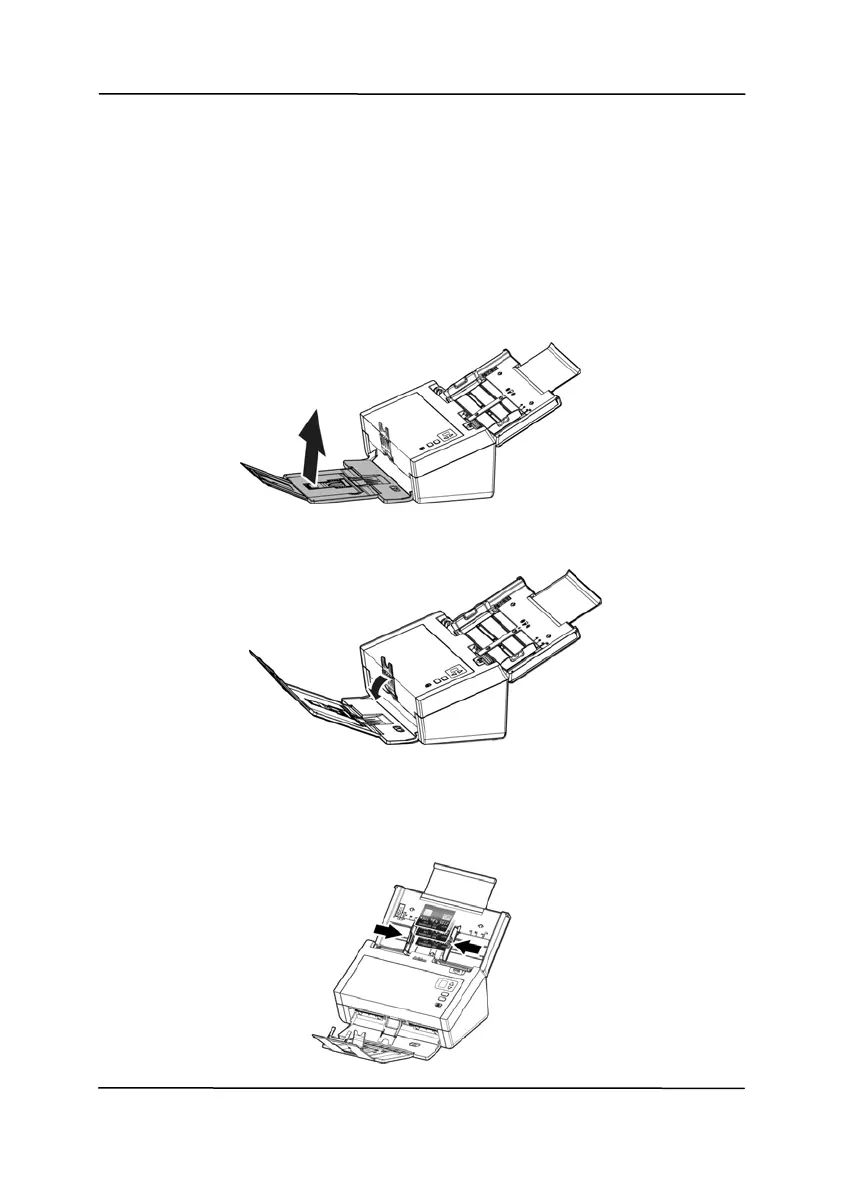
To scan cards, it is recommended to press down the paper
weight and then raise the output tray to keep the cards from
falling apart.
1. Lift the output tray up to make the output tray in an angled
position.
2. Press down the paper weight.
3. Load your cards horizontally into the paper tray. Align
the paper guides and make sure the edges of cards
slightly touch the paper guides on both side as
illustrated.
8B



 To Next Page