User’s Manual
7-11
Assembling Procedure
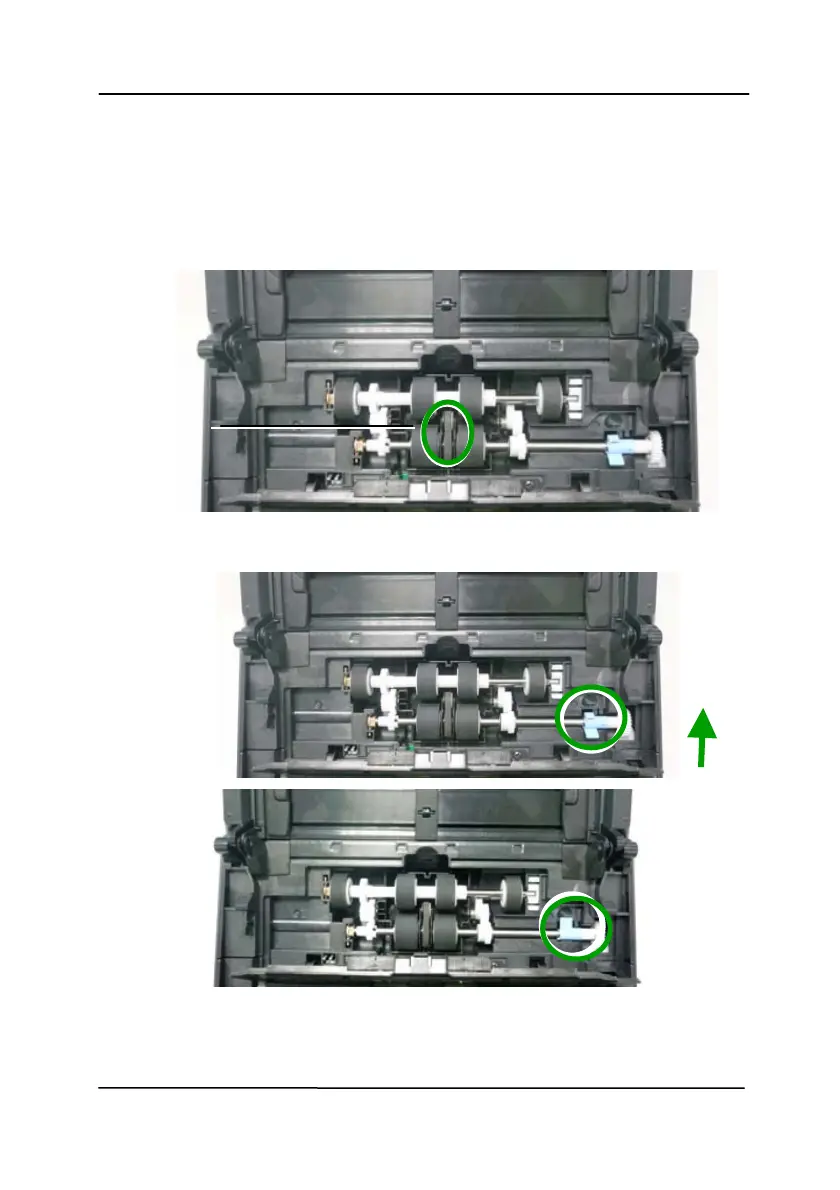
1. Insert the left end of the ADF roller first to its slot and place the
ADF roller to its proper position.
Make sure the belt in the center of the lower ADF roller is
installed horizontally with the other rollers as indicated.
The Belt
2. Move the tab of the ADF rol
ler UP.
3. Cl
ose the ADF roller cover. A snap-in sound could be heard if
correctly installed.



 To Next Page