User’s Manual
2-2
2.2 Unlocking Your Scanner
The scan uni
t is locked during transport to protect the scanning
mechanism from being damaged. Be sure to unlock the scan
unit before using the machine.
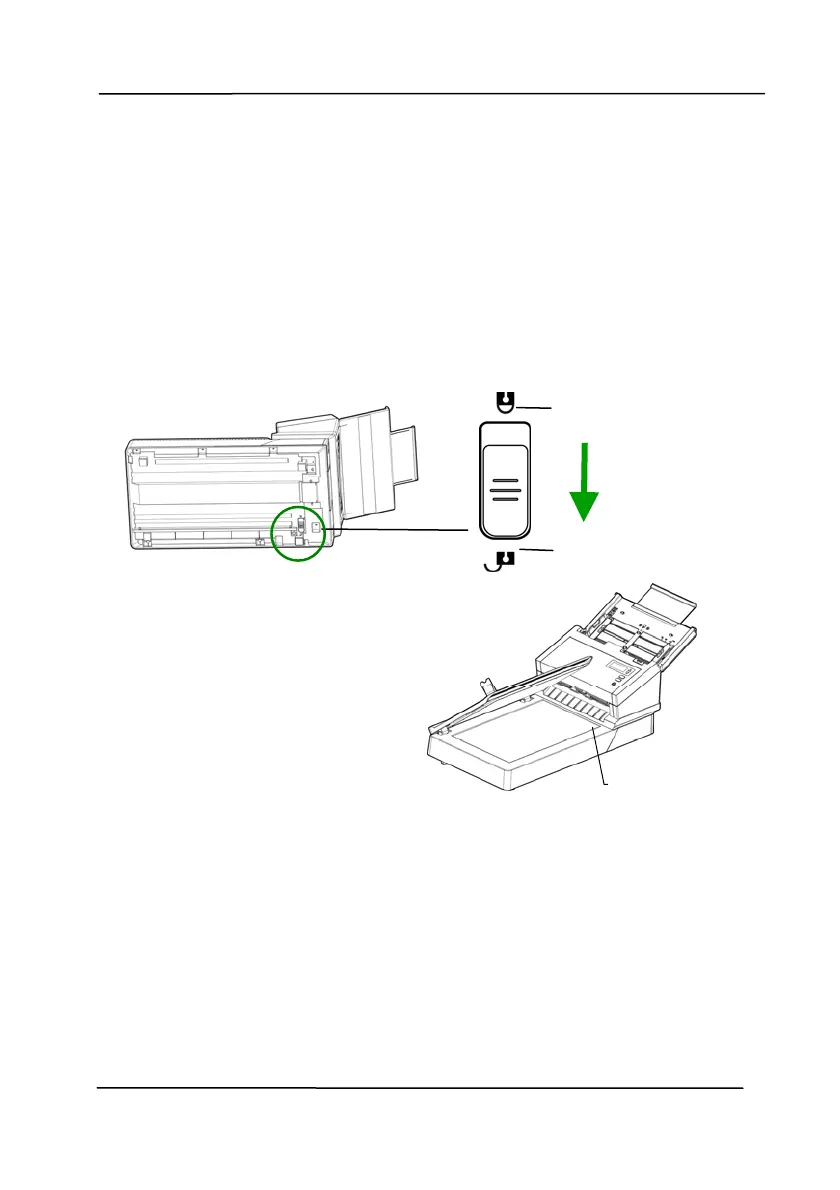
Turn over the machine to
locate the lock switch.
Move the lock switch to the
"unlocked position".
If you need to transport the
machine, please move the
lock switch to the “Locked”
position. Before doing this,
make sure the scan unit at
the end of the glass as
indicated. (If not, please turn
on the machine. When the
scan unit moves to the end,
turn off the machine.)
“Locked Position”
“Unlocked Position”
he scan unit
must be at
this position
before being
locked.



 To Next Page