User’s Manual
4-68
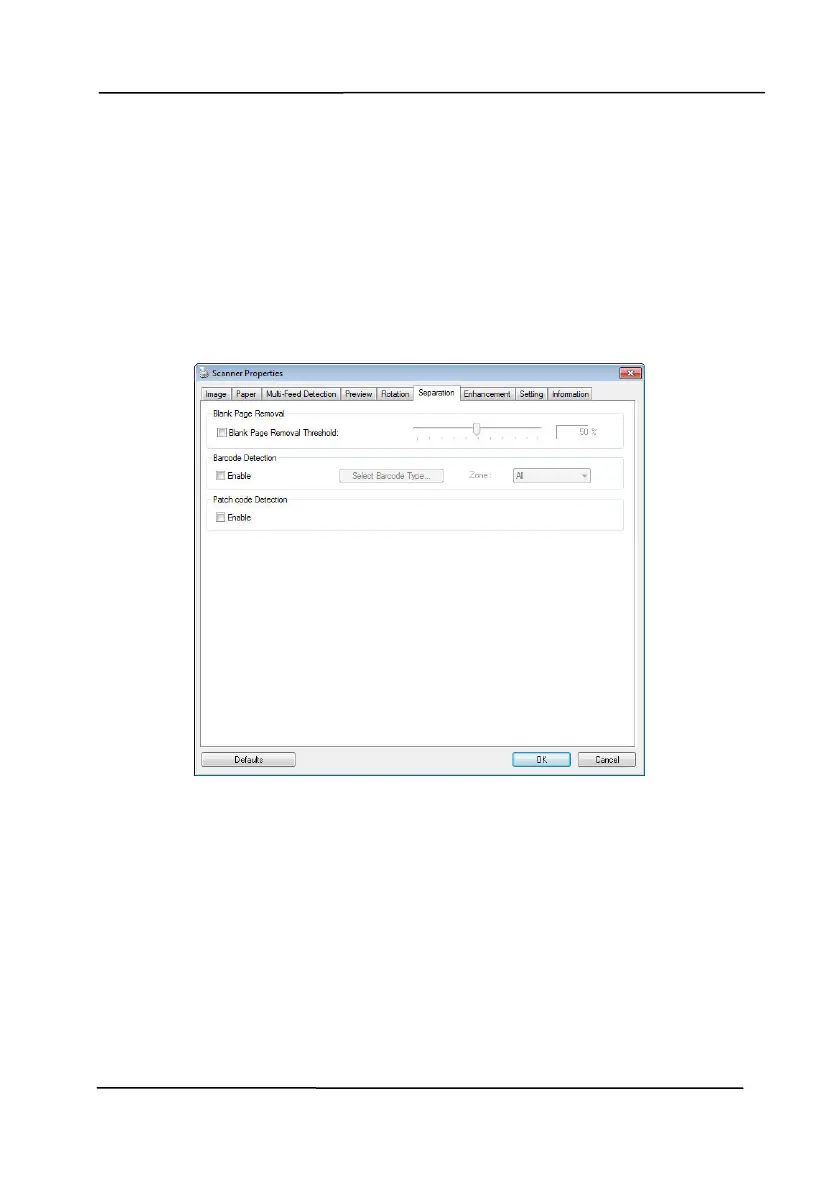
4.11 The Separation Tab
The Separation tab allows you to enable the detection engine to
detect the blank page, barcode, and patch code and then notify
t
he software application which supports document separation to
separate your multi-page documents. Choices: Blank Page
Removal, Barcode Detection, Patch Code Detection.
Blank Page
Removal
Choices: None, Blank Page Removal Threshold,
Image Size.
None – Do not remove the blank pages.
Threshold - Move the slider to the left or right
to define your threshold for the blank page.
Image Size – Range: 1~ 10000 KB. Specify
your desired image size to detect the page as a
blank page. For example, if 3 KB is selected,
any page less than 3 KB will be recognized as
blank page.


 To Next Page