be changed later in the web page.)
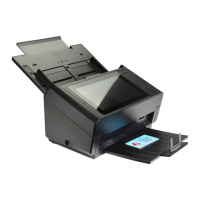
e. Choose [WIFI] to prompt the WIFI page.
f. Choose your desired [Network Name] (SSID) and click
[Connect]. Wait for 60 seconds for the connected status
confirmation.
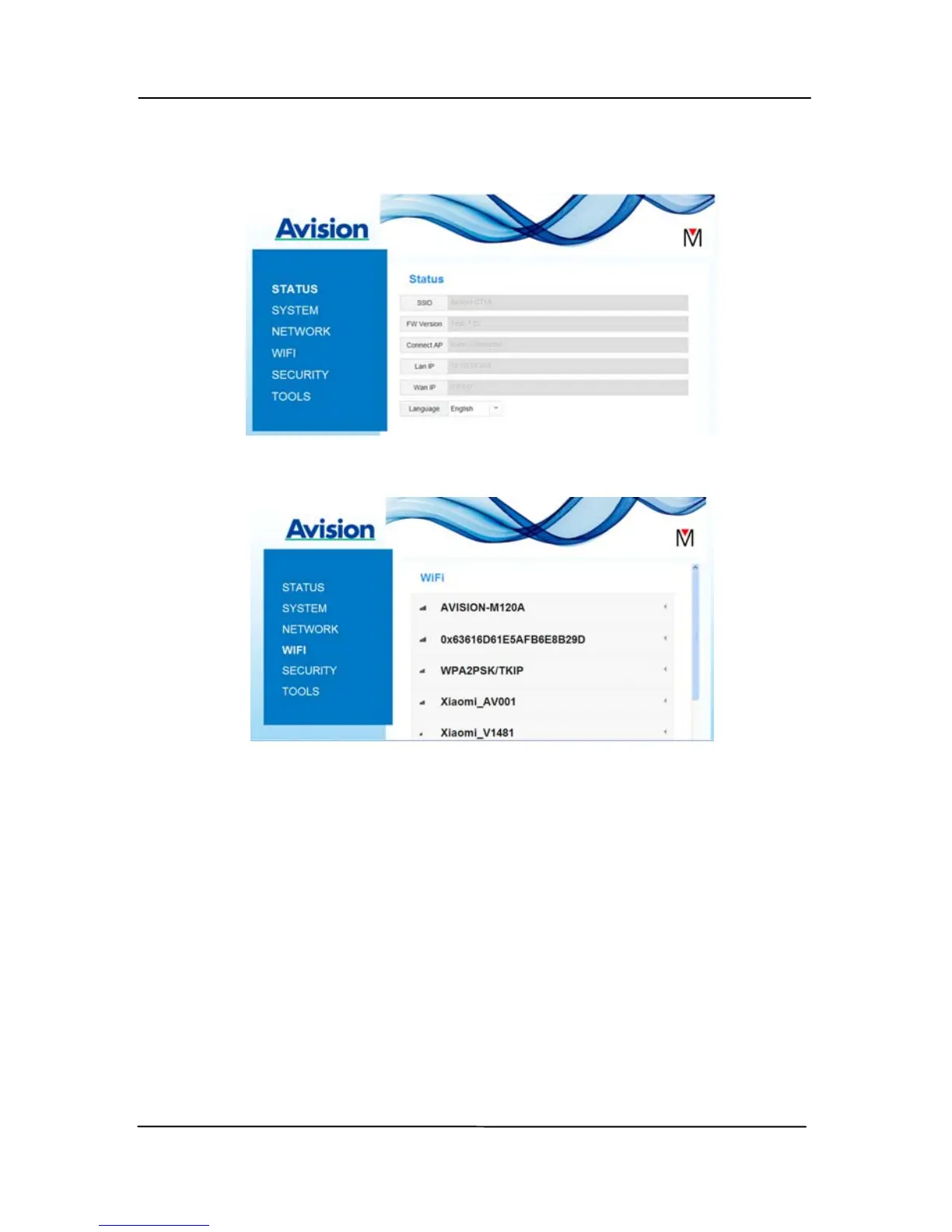
g. After the Wi-Fi connection is successful, choose [Status]
to check the [WAN IP] address is available from the
selected network.


 To Next Page