8.2 Replace the Feed Roller
The feed roller and separation pad inside the scanner wear with
scanni
ng. If the feed roller and separation pad are worn,
documents may not feed correctly and paper jams may occur.
When document feed performance deteriorates, replace the feed
roller and separation pad.
Note: It is recommended to replace the feed roller or separation
pad when the total number of pages of documents fed in the
scanner exceeds one of the following quantities:
Feed Roller: 100,000 sheets
Separation Pad: 30,000 sheets
Follow these steps to replace the separation pad and feed roller.
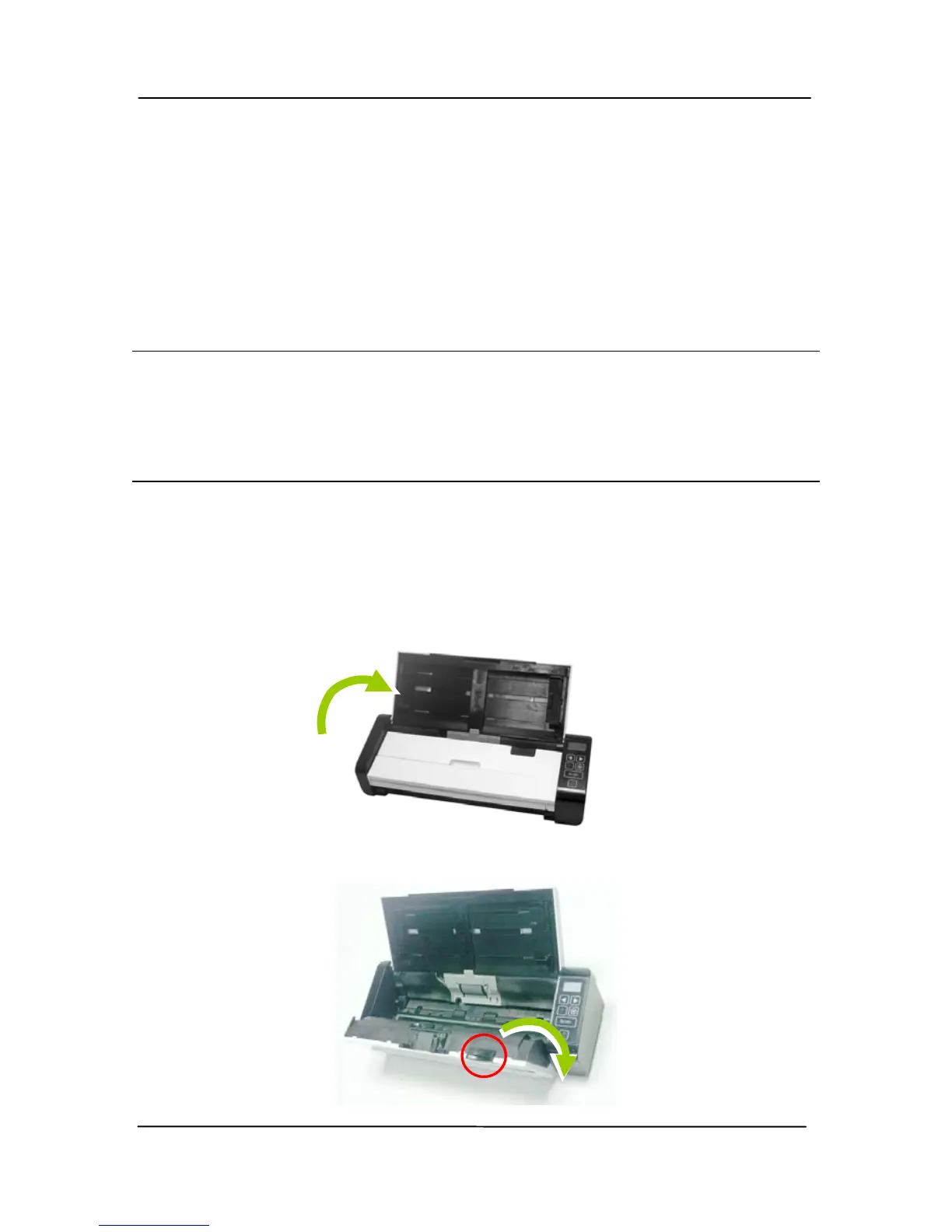
To replace the Feed Roller,
1. Open the feed tray.
2. Press the ADF Release button to open the feeder cover.



 To Next Page