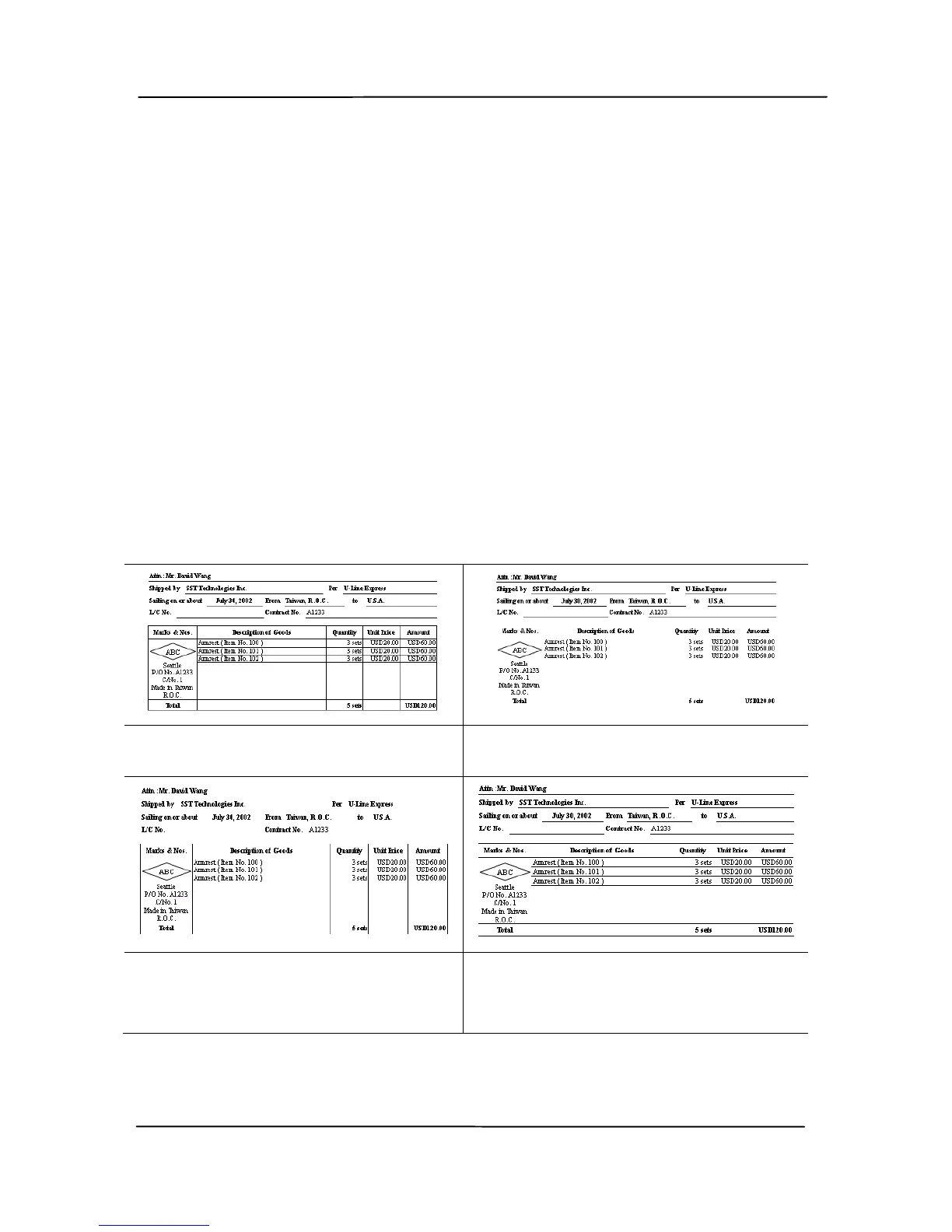
Line Removal: When Black and White image mode is
selected on the [Image] tab, the [Line Removal] option will
be enabled. Line Removal erases lines on the image and then
reconstructs characters so the OCR (Optical Character
Recognition) accuracy can be improved.
Choices: None, Form, Horizontal, Vertical
None – the default mode which does not remove any line.
Form – remove any form in the document.
Horizontal – select [Horizontal] and then enter the length of
horizontal line to remove only the horizontal line exceeding
your specified length.
Vertical – select [Vertical] and then enter the length of
vertical line to remove only the vertical line exceeding your
specified length.
None Remove Form



 To Next Page