EasyManua.ls Logo

Avital 3001L - User Manual

Avital 3001L
44 pages
Print Icon
To Next Page IconTo Next Page
Loading...
© 2009 Directed Electronics, Vista, CA N3001L 2009-04
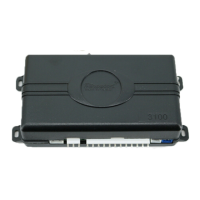
3001L Security System
installation guide
NNoottee::
This product is intended for installation by a profes-
sional installer only! Any attempt to install this product by
any person other than a trained professional may result in
severe damage to a vehicle’s electrical system and com-
ponents.
N3001L_2009-04print.qxd 5/12/2009 11:14 AM Page 1
Question and Answer IconNeed help?

Do you have a question about the Avital 3001L and is the answer not in the manual?

Summary

Installation Points to Remember

Before You Begin Installation

Steps to take before starting the installation process.

What is New

What is Included

Component Location Decisions

Control Module Placement

Guidelines for choosing a secure location for the control module.

Post-Installation Checks

Required Tools

LED and Valet Switch Installation

Starter Kill Relay Considerations

Connecting Your Wires

Obtaining Constant 12 V Power

Identifying and connecting the primary 12V constant power source.

Finding the 12 V Ignition Wire

Finding the Parking Light Wire

Finding the Door Pin Switch Circuit

Main Harness Wire Connection Guide

Main Harness Wiring Diagram

Visual representation of the main harness connections and wire functions.

Main Harness Wiring Guide - Specific Wires

Auxiliary Harness Wire Connection Guide

Auxiliary Harness Wiring Diagram

Diagram illustrating connections for the auxiliary harness.

Keyless Entry System Types

Drivers Priority Unlock

Description of keyless entry systems where the driver's door unlocks first.

No Priority Drivers Door Unlock

Door Lock Harness Wire Connection Guide

Plug-In Harnesses

LED and Valet Switch

Connecting and installing the LED and Valet switch components.

Data Port - Bitwriter

Four-Pin Optional Sensor Harness

Door Lock Learn Routine

On-Board Dual Stage Shock Sensor

Entering Shock Adjustment Mode

Procedure to enter the shock sensor adjustment mode.

Long Term Event History

Rapid Resume Logic

Internal Polarity Jumper

Zones

Feature Programming

Entering Feature Programming Routine

Steps to access the system's feature programming menu.

Bitwriter ONLY Features

Feature Menu 2

Feature Menu 1

Troubleshooting

Wiring Quick Reference Guide

Avital 3001L Specifications

General IconGeneral
Channels1
Number of Buttons on Remotes4
Number of Remotes Included2
Remote ControlYes
Keyless EntryYes
Starter KillYes
Valet ModeYes
Panic ModeYes
FeaturesKeyless Entry, Starter Kill, Panic Mode

Related product manuals