24
Selecting Parameter Configuration
After completion of the daily maintenance procedure,
the analyzer starts an automatic calibration for sodium
and potassium.
To select a different parameter configuration, interrupt
the calibration by pressing NO. Continue pressing
NO, until OPERATOR FUNCTIONS is displayed.
Press YES followed by NO, until the analyzer
displays Select Parameter Configuration? Press
YES to display the current configuration. The default
configuration is displayed:
Selected Param.:
[ Na ] [ K ] [ ] ok?
Press NO until the desired configuration is displayed,
then press YES to accept your selection.
Note: If ([ Na ]) [ ] [ Li ] is selected, only lithium is
reported. Install the Na electrode and calibrate for
lithium.
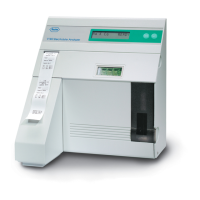
Congratulations! Your AVL Electrolyte Analyzer is
ready for operation.


 To Next Page
 Loading...