23
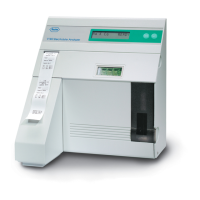
The prompt Open Sample Door Introduce
Sample will be displayed. Lift the sample door. The
prompt Introduce Sample will be displayed and the
pump will begin to aspirate. Now, introduce the
conditioning solution to the probe.
See illustration 2-22.
Hold the solution under the probe until the prompt
Wipe Probe Close Sample Door is displayed.
Use a lint-free tissue to remove the conditioning
solution from the probe and close the door.
See illustration 2-23.
The analyzer will now display Thank You! and a
brief countdown will begin. Upon completion of the
countdown, the prompt Remain in Daily Mainte-
nance? will be displayed. Press NO.
The unit will display Calibration in Process while
the analyzer prepares for automatic calibration. A
countdown will be displayed as soon as the actual
calibration cycle starts.
Note: Calibration is an automatic process. During
this time, the analyzer is conducting measurement
operations to ensure the accuracy of the instrument.
Occasionally, extended calibration is required.
Note: It is very important that the main door is
closed during calibration, since it provides shielding
from sources of electromagnetic interference.
When calibration is completed, the analyzer will
display READY, indicating that the instrument is now
prepared for quality control sampling.
2-22. Introducing conditioner
2-23. Cleaning probe


 To Next Page
 Loading...