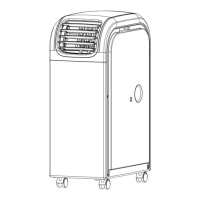
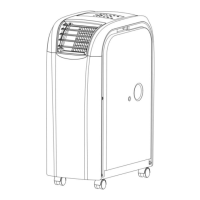
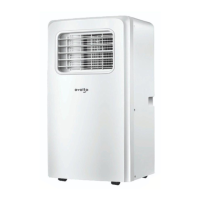
This document is the user manual for the Avolta PC40-AM1E Portable Air Conditioner.
Function Description
The Avolta PC40-AM1E is a portable air conditioner designed for indoor cooling, heating, and dehumidifying. It offers a versatile range of functions to maintain a comfortable indoor environment. Key features include:
- Cooling: Provides powerful refrigerated air system to cool down the ambiance instantly.
- Heating: Capable of providing warmth, making it suitable for use across different seasons.
- Dehumidifying: Features a dehumidified and filtered air cycle to improve breathing environments effectively.
- Fan Function: Allows for air circulation without cooling or heating.
- Programmable Timer: A 24-hour programmable timer for cooling, heating, and dehumidifying functions, allowing users to set the unit to turn on or off automatically.
- Sleep Control Function: A unique sleep control function for optimized comfort during sleep.
- Remote Control: Comes with a remote control for convenient operation, offering one-touch electronic pad control.
- Easy-Identifying Manual Operation: Provides clear and easy-to-understand manual operation instructions.
Important Technical Specifications
The Avolta PC40-AM1E has the following specifications:
- Model No.: PC40-AM1E
- Power Source: 220-240V~50Hz
- Rated Power (EN60335):
- Cooling: 1700W
- Heating: 1500W
- Cooling Capacity: 4000W
- Heating Capacity: 4000W
- Moisture Removed: 70 liters/day
- Refrigerant: R410A (a kind of fluorinated greenhouse gases covered by the Kyoto Protocol, with a total global warming potential (GWP) of 2088).
- Dimensions (mm): 300W x 550D x 760H
Usage Features
The portable air conditioner is designed for user convenience and effective performance:
- Portability: Equipped with easy glide castors, allowing the unit to be easily moved from room to room.
- Installation: Includes a window kit and an exhaust hose for proper installation. The exhaust hose should be extended to a length of not more than 400 mm and kept parallel to the ground, not bent up or down. A minimum distance of 500 mm must be kept between the filter side of the unit and the wall or any other obstacles.
- Control Panel: Features an intuitive control panel with buttons for Power, Function (Cooling, Heating, Dehumidifying), Temperature Regulation (Up/Down), Speed (HI, MID, LOW, AUTO fan speed), Timer, and Sleep mode. An L.E.D. display shows the current settings.
- Remote Control Function: The remote control mirrors the functions of the main control panel, including Power, Function (MODE selector), Timer (hourly programming), AUTO (automatic fan speed), HI (high fan speed), MID (medium fan speed), LOW (low fan speed), SLEEP (night operation selector), and TEMP (temperature selector).
- Safety Precautions:
- Ensure the product ventilates all the time; the inlet and outlet ventilation should not be blocked.
- Operate the unit on a horizontal surface to avoid water leakage.
- Do not operate the unit in an explosive or corrosive atmosphere.
- Operate the unit in an ambient temperature of 35°C or less.
- The heating function should be operated in an indoor ambient temperature between 7°C and 23°C.
- Clean the air filter periodically to enjoy the most efficient cooling.
- When the unit is shut off, wait at least 3.5 minutes before restarting to prevent compressor damage.
- The unit needs at least 7 Amps of electricity to have its compressor operational. Avoid household electricity block out; do not use any extension cord for this unit.
- The compressor will start up after the cooling alarm flashes for three minutes. In heating function, the heating alarm will flash for 3.5 minutes before the compressor and fan start up.
- If the supply cord is damaged, it must be replaced by the manufacturer, its service agent, or similarly qualified persons.
- Dispose of the appliance safely, removing batteries before scrapping.
- This appliance can be used by children aged from 8 years and above and persons with reduced physical, sensory or mental capabilities or lack of experience and knowledge if they have been given supervision or instruction concerning use of the appliance in a safe way and understand the hazards involved. Children shall not play with the appliance. Cleaning and user maintenance shall not be made by children without supervision.
- The air-conditioner can be connected only to a supply with system impedance no more than 0.219Ω. In case necessary, consult your supply authority for system impedance information.
- Alarm Function: If the water tank is full, "E4" will be displayed on the display panel. To resume operation, remove the rubber cap of the drain hose to drain out the water. The E4 warning will disappear after draining, and the unit can restart by pressing the POWER key.
- Power Supply: Confirm the correct power source (220-240V). Insert the plug into the outlet firmly to prevent dangerous leakage. Do not pull the power wire by force as it can cause damage to the power wire.
- Placement: The machine distributes hot air, so it should not be placed or operated in a narrow place. Do not work the machine in a humid place. Do not place the machine in a sunlit corner, otherwise the unit might shut down due to overheat and the color of the machine may soon fade out.
- Helpful Hints: The unit is fitted with a special thermal cut-off device. Ensure the unit is not placed against objects which will obstruct air intake, e.g., furniture or curtains, as this will affect its performance dramatically.
Maintenance Features
Regular maintenance is crucial for the longevity and efficient operation of the Avolta PC40-AM1E:
- Disconnect Power: Always disconnect the power cord before cleaning.
- Air Filter Cleaning: The air filter is located on the left-hand side of the unit. It can be removed by pulling the frame out. Use a brush attachment with a vacuum cleaner to clean the condenser/evaporator.
- Casing Cleaning: Wipe the casing with a damp cloth and polish with a soft cloth.
- Drainage: The unit can evaporate the condensation and distribute it through the exhaust hose automatically. However, if the unit is in cooling function, it does not need the drain pipe installed. If the rubber cap is locked on the drain hole, the unit is running. When operating the heating function, the "①" rubber cap on the drain hole should be pulled out and install a proper drain pipe to improve the heating effect. When operating the dehumidifying function, the "①" rubber cap on the drain hose should be pulled out and install a proper drain hose. Remove the air exhaust hose, connect a drain hose to the drain hole, and lead the water to the outside to intensify dehumidifying capacity. When the water tank is full, "E4" will be displayed on the display panel. Remove the rubber cap "②" of the drain hole to drain out the water first. After the drainage is completed, restart the unit and then the unit can operate normally.
- Troubleshooting: The manual provides a troubleshooting guide for common issues:
- E1 (Electrical short on both temperature sensor and PCB): Contact an electrician for repair.
- E2 (Electrical short of temperature sensor copper tube and PCB wiring): Contact an electrician for repair.
- E4 (Indicates water tank full): User needs to pull out the rubber stopper which is located at the bottom of the unit, to drain the water away.
This marking indicates that the product should not be disposed of with other household wastes throughout the EU. To prevent possible harm to the environment or human health from uncontrolled waste disposal, please recycle it to prove the sustainable reuse of material resources. To return your used device, please use the return and collection systems or contact the retailer where the product was purchased. They can recycle products safely.

 Need help?
 General

 To Next Page