Functions & Setup
of the Receiver:
Using the Setting Button:
(On Front) The SETTING BUTTON is located just to the left of the POE switch. This
button can be used to enable/disable the built in Test Pattern Generator.
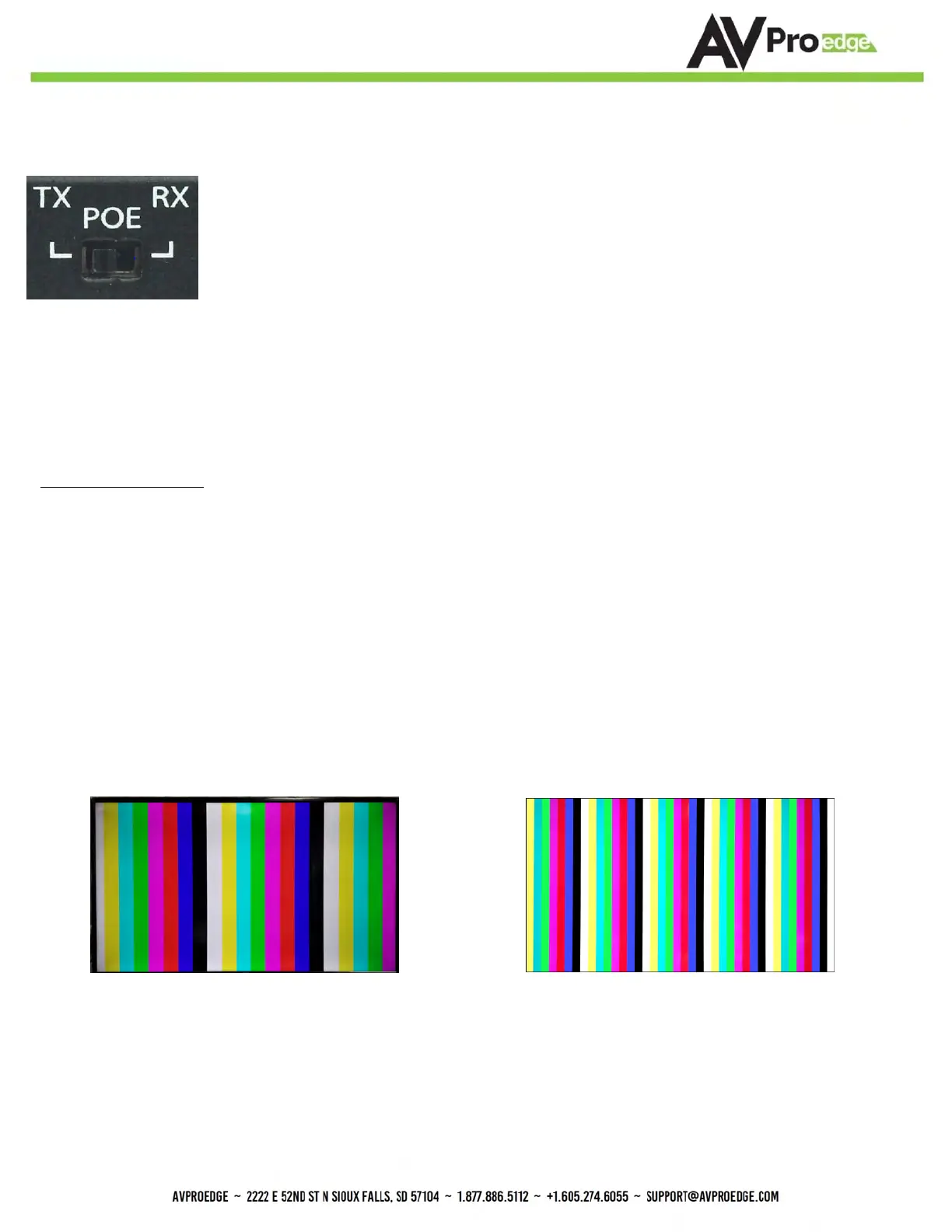
POE Slide Switch: (On Front) This is used to select how you want to PoE is to be directed.
There are two options (you are choosing where the power is ORIGINATING from):
• TX (Default)= You will need to power the TRANSMITTER, the receiver will be powered over
the CAT Cable (Default).
• RX = You will need to power the RECEIVER, the transmitter will be powered over the CAT
Cable from the receiver (This is called "Reverse Power").
Test Pattern Generator:
Press and hold the setting button (for 4 seconds) while powering up the receiver. If you are powering from the
transmitter side, to power cycle the receiver unplug the HDBaseT Category cable. You should see the color bar
pattern appear the right on screen. When in this mode, you can quick press the settings button to toggle the two
resolutions. To Disable, power cycle the receiver.
Quick press the setting button---Select the test pattern timing.
• 1080P --- LED Flashes 1 Time (3 sets of color bars, example below)
• 4K --- LED Flashes 2 Times (5 sets of color bars, example below)
*NOTE: This can be useful for checking your cabling and for troubleshooting. You can also ensure you
have sufficient distance based on the resolution as well.
1080P Test Pattern 4K Test Pattern


 To Next Page