9
12. POWER :
To power on, press power button.
To power off, press power button again.
13. FF / Right
:
FF
: Under DMR play mode, it can play video forward at high speed, and press
FF
again to
adjust speed from
1, 2, 4, 8, 16, 32 times.
Right
: Under setup mode , it can work as
Right
button.
14. PAUSE / Up
:
Pause
: Punder DMR play mode, it can play video pause.
Up
: Under setup mode , it can work as
Up
button.
15. PLAY
:
Press
PLAY
to
play recorded video.
16. REW / Left
:
REW
:
Under DMR play mode, it can play video backward at high speed, and press REW
again to adjust speed from 1, 2, 4, 8, 16, 32 times
Left
: Under setup mode , it can work as
Left
button.
17. SLOW
: To press
SLOW
to slow down speed of play mode.
18. CAMERA (1-16)
:
Press the
Camera Select (1-16)
to select appointed camera
PS 1 .
After 60 seconds suspended operation, the function setup will be turned up automatically.
2.
When setting the same channel, the duplicate pictures will be frozen.
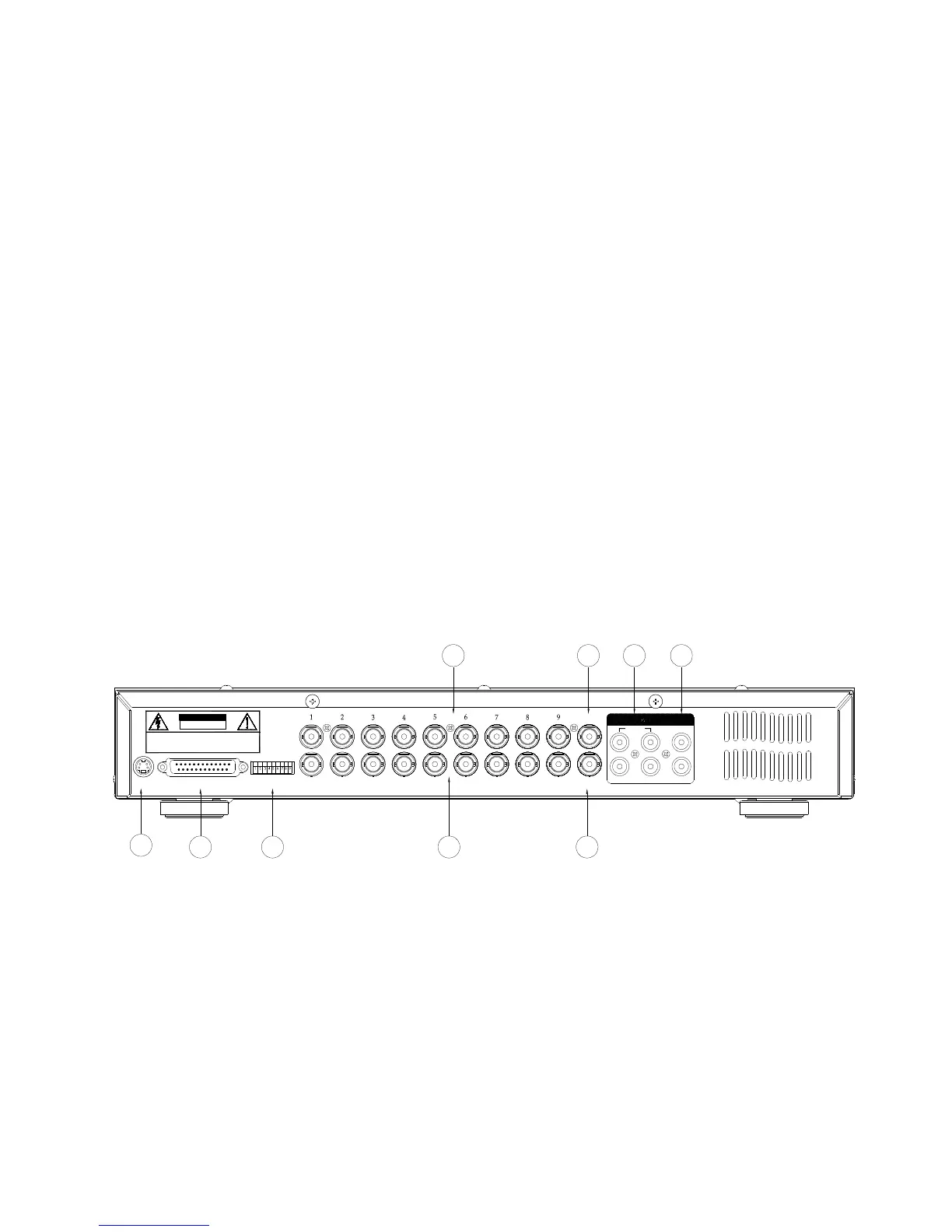
3.3 Back panel connection
WARNING : TO REDUCE THE RISK OF ELECTRIC SHOCK,
DO NOT REMOVE COVER (OR BACK).
NO USER-SERVICEABLE PARTS INSIDE.
REFER SERVICING TO QUALIFIED
SERVICE PERSONNEL.
CALL
EXTERNAL I/O
POWER
75Ω
HI
INPUT
2
1
4 L
3
R
MAIN
RISK OF ELECTRIC SHOCK
DO NOT OPEN
LOOP
IN
OUT
2
1
3 4 5
7 689
1. Power input
Please use the provided adaptor.
2. External I/O
Controlled remotely by an external device or control system.
Alarm input, external I/I explanation.
3. 75 / HI
When usingLoop function, please switch to
HI
or set up to
75
.
4. VIDEO INPUT (1-16)
Connect to video source, such as camera.
5. CALL



 To Next Page