18
PVR File System
Select Disk C:
Check PVR File System SUCCESS
Speed
Max record time 6Hr.
USB Disk Pass
Time Shift Size 512 MB
Format Pass
Full HD Support
6912KB/s
PVR File system
Select Disk C:
Max record time 6Hr.
OK Cancel
Are you sure?
All USB data will be lost...
Select OK to continue.
Select Cancel to exit..
PVR File system
Select Disk C:
Max record time 6Hr.
Do not unplug USB device
Create PVR file system,please wait...
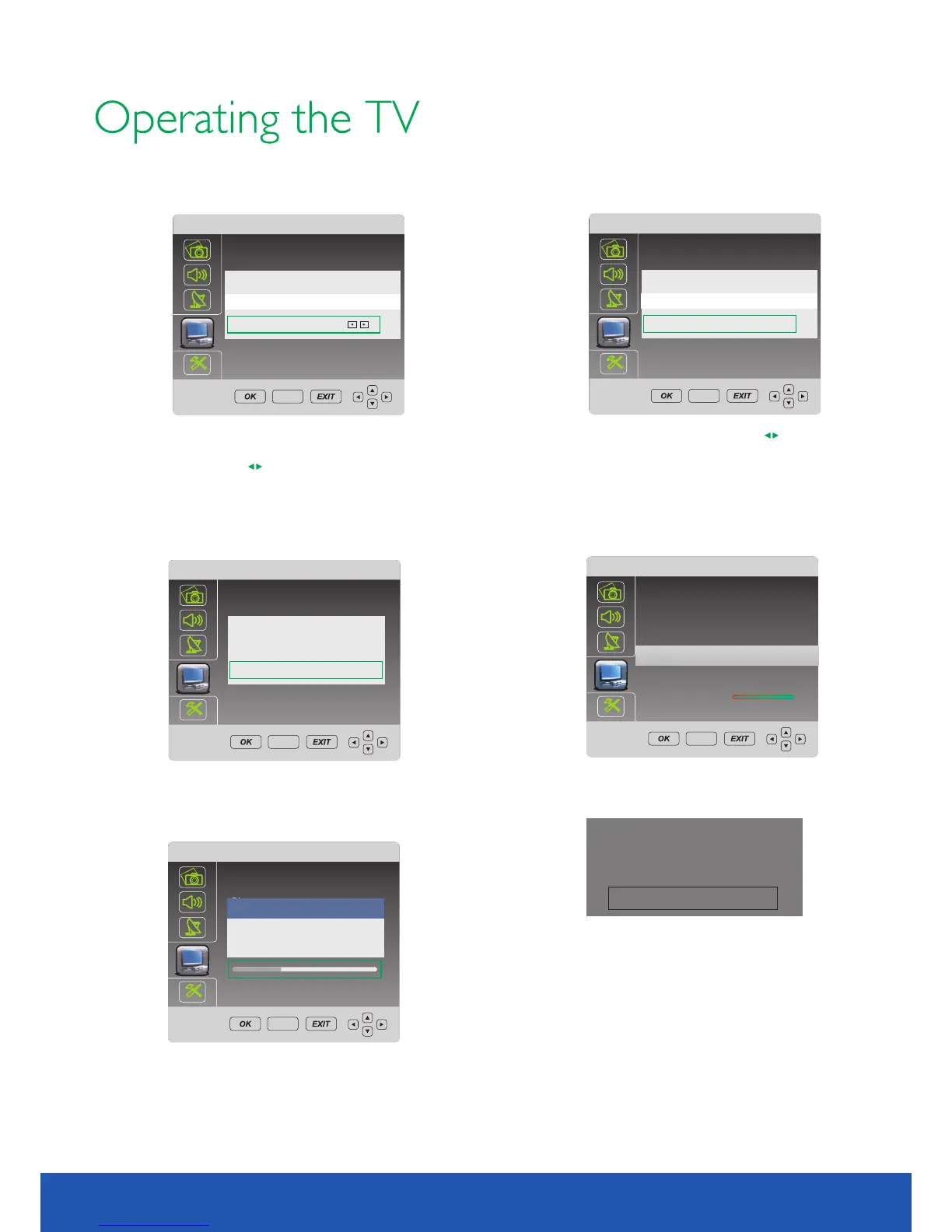
Format disk
For example, if USB disk is 4G. System allows you select
1G/2G/3G/all by pressing
Select OK to continue.
Select Cancel to exit..
Allows you set size for recording.
PVR File system
Select Disk C:
Time Shift Size
512MB SD 14 min. HD 4 min.
OK Cancel
Max record time 6Hr.
Allows you set Time Shift size. Pressing to select
size.
For example, if USB disk is 4G. System allows you select
512MB/1G/2G/3G.
System will show max shifting time for SD and HD signal.
Select OK to continue.
Select Cancel to exit.
Do you want to record?
Yes NO
After formatted, press button to start recording.
Select YES to continue.
REC
PVR File system
Select Disk C:
File System Size
2GB SD 56 min. HD 16min.
OK Cancel
Max record time 6Hr.
SETUP
SETUP
SETUP
SETUP
SETUP
10.1 inch TV/DVD user guide
3.FORMATTING
After recording, press button to view info.Cyan
Formatting . Don't unplug USB device during this process.
If formatting is successful, the menu above will be display.
System will exit this menu in 5 seconds automatically.
Warning:
Please make sure your USB or hard disk
has at least 500RM free space and then
create PVR file system before you record
DTV program.
If it is the first time being used, the system
will format your USB disk and HDD.



 To Next Page