14
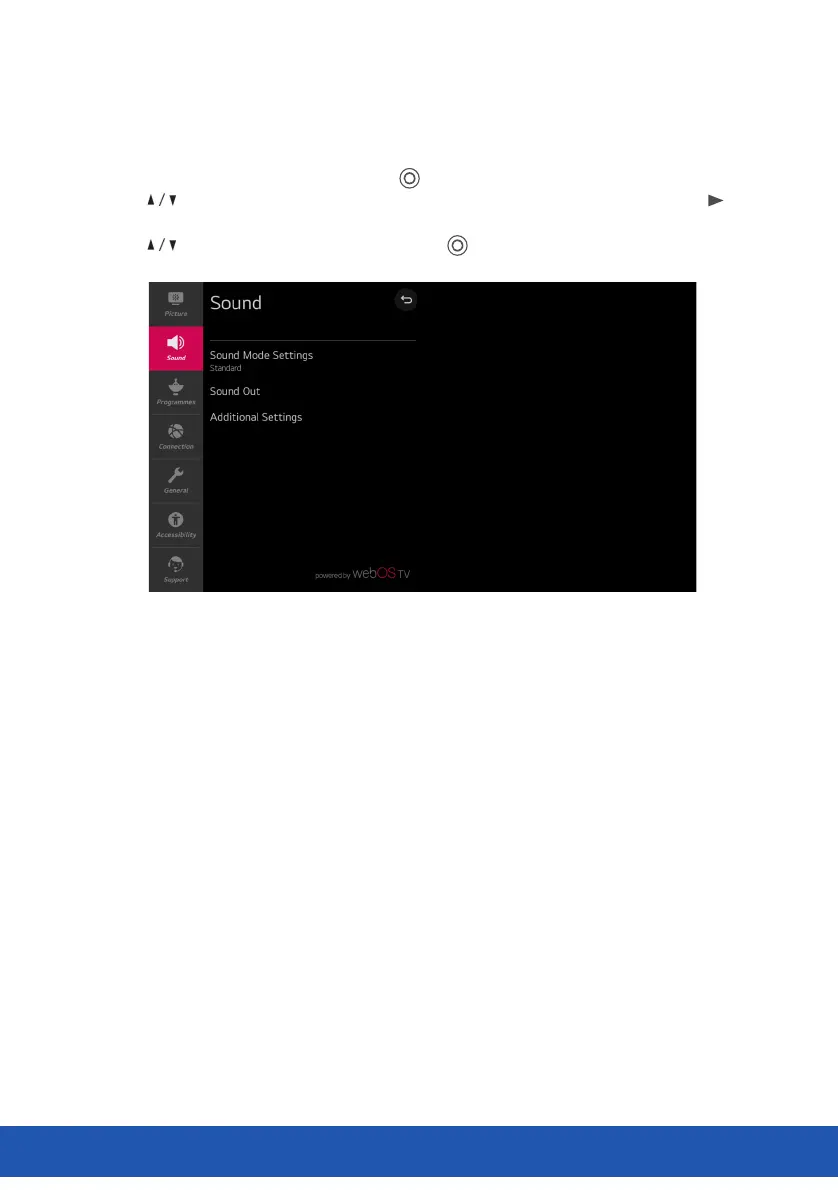
Sound Menu
Select All settings in settings menu, press ( ) button to enter the submenu.
Press buttons to select Sound in the submenu, it will highlight the option, then press
button to enter menu.
Press button to select the option and press ( ) button to enter the submenu.
MENU (CONT.)
Sound Mode Settings
Select the Sound mode and set detailed Audio eects. This settings is only available for Internal
TV Speaker. Include Standard, Cinema, Clear Voice Ill, Sports, Music and Game.
Sound Out
Select device or speaker for audio output. Include Internal TV Speaker, Bluetooth, Mobile Device,
Optical, HDMI ARC, Wired Headphones, Optical + Internal TV Speaker etc. for your choice.
Additional Settings
Set additional sound-related settings. Include TV Installation Type, Volume Mode, AV Sync
Adjustment, HDMI Input Audio Format, LG Sound Sync and Digital Sound Out for your choice.
You can perform the operations you want according to the prompt information on the TV screen.
22



 To Next Page