37
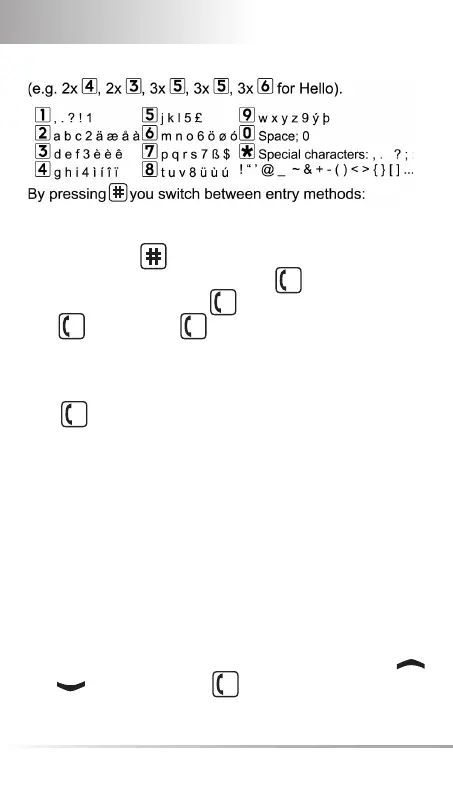
By pressing KEY
you switch between entry methods:
Send SMS: Select Send with 2x
OK
and enter number
or dial from phone book (
OK
, scroll to names and select
with
OK
). Then press
OK
to send.
• Receive SMS: A short signal and a registration on the dis-
play inform you about a new, incoming SMS message.
With
OK
you can read the message immediately or see a list
of messages which have already been received in the menu
Messages Received SMS.
8. RADIO
• Switch on: Slider on the left side upwards.
• Switch off: Slider on the left side downwards.
• Station enter/search:
- If the desired station is known, enter frequency over the nu-
meric keypad or scroll through the frequency values with
and , then confi rm with
OK
, same for decimal place.



 To Next Page