30
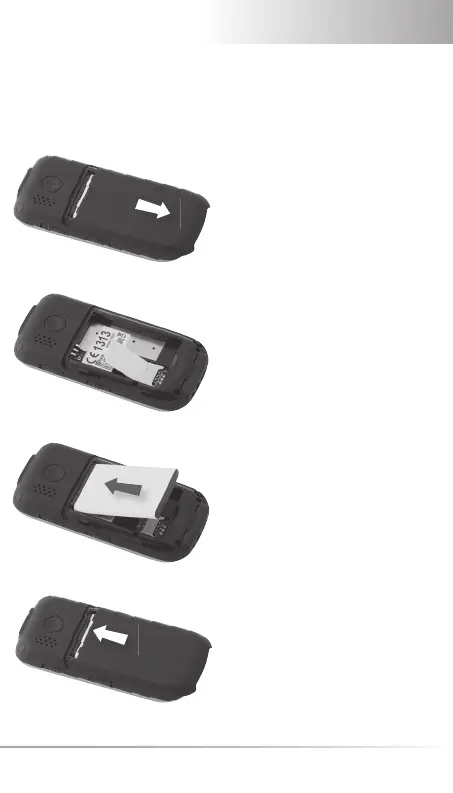
1. INSERTING SIM CARD AND BATTERY
Remove battery cover
(as shown).
Slide SIM card in with the gold
contact facing down.
Put the battery in the battery
slot 3 metal contact points to-
wards back and be in line with
the metal bolts at the bottom
line of the cell phone.
Slide cover to closed position
with a ‘click’.



 To Next Page