The first time you run the DVR, you will be required to set your password immediately in
order to protect your privacy.
Please be sure to record your username and password and save them in a secure place. If
you forget your password, you will be unable to login the system, please contact your
reseller to reset the password.
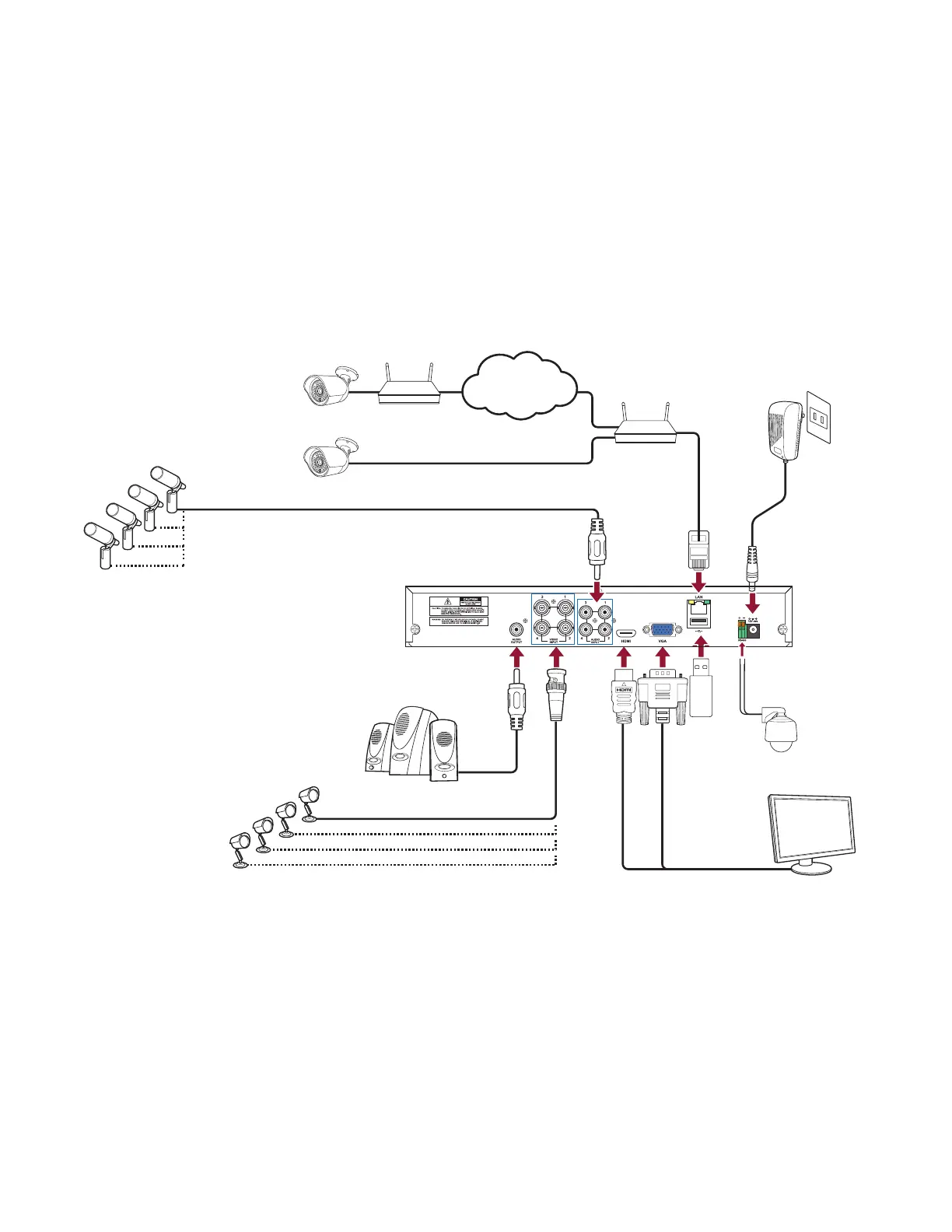
Connection Diagram
1 DIGITAL VIDEO RECORDERS | AVR SERIES
Router
Internet
Router
IP Cameras
Microphones
Speaker
Analog Cameras
Power Supply
USB
PTZ Control
HDMI/VGA to Monitor



 To Next Page