2 DIGITAL VIDEO RECORDERS | AVR SERIES
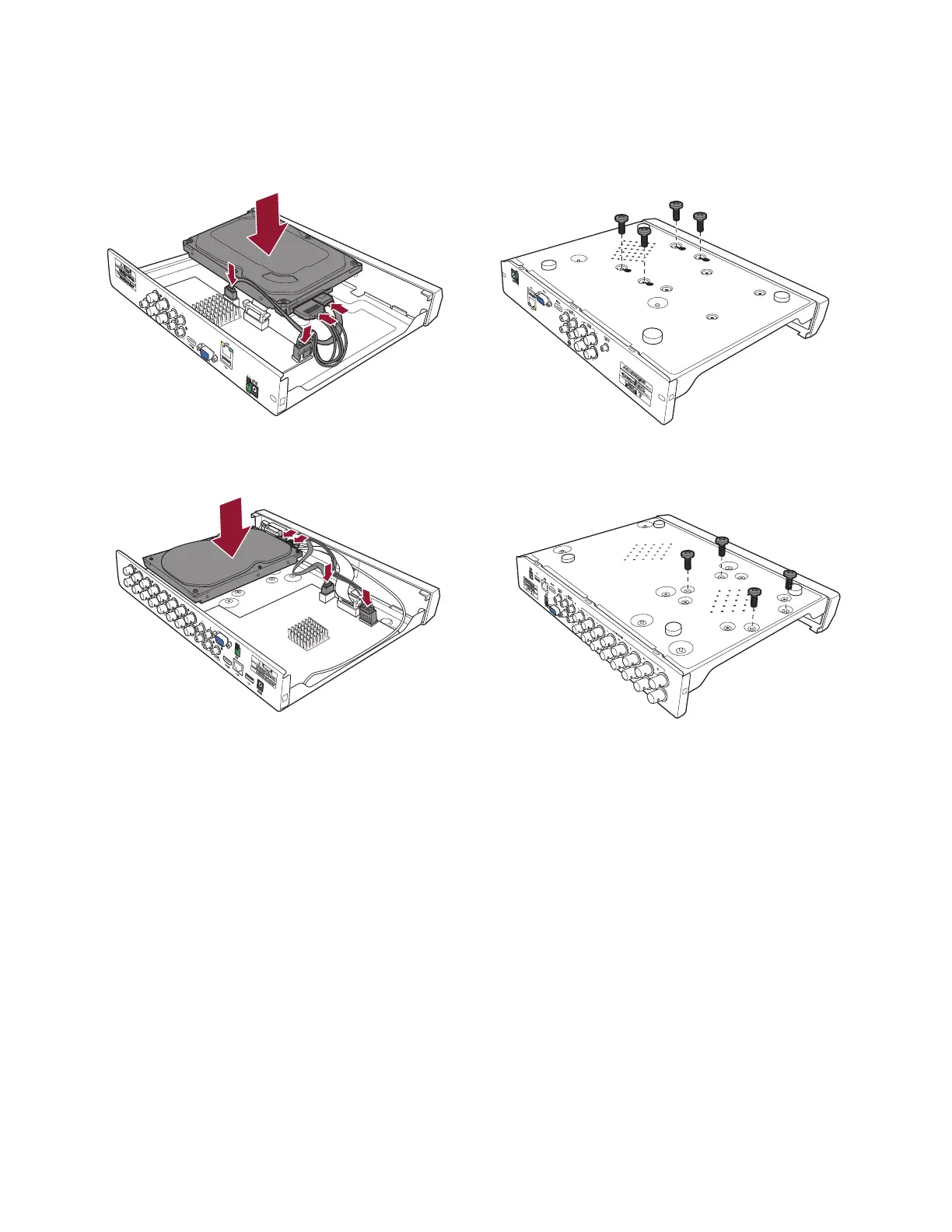
HDD Installation
Caution: DO NOT install or remove the hard disk drive while the device power is turned ON.
NOTE: Depending on the model you purchased, the actual product may be slightly different
from the images above.
a) Connect the data and power cables to the HDD and place the HDD on the DVR case.
b) Carefully flip the DVR case and secure the HDD to the DVR with the screws.



 To Next Page