AUTOMATIC LOCK
SETTING THE USER CODE PIN-NUMBER
SETTING THE MASTER CODE PIN-NUMBER
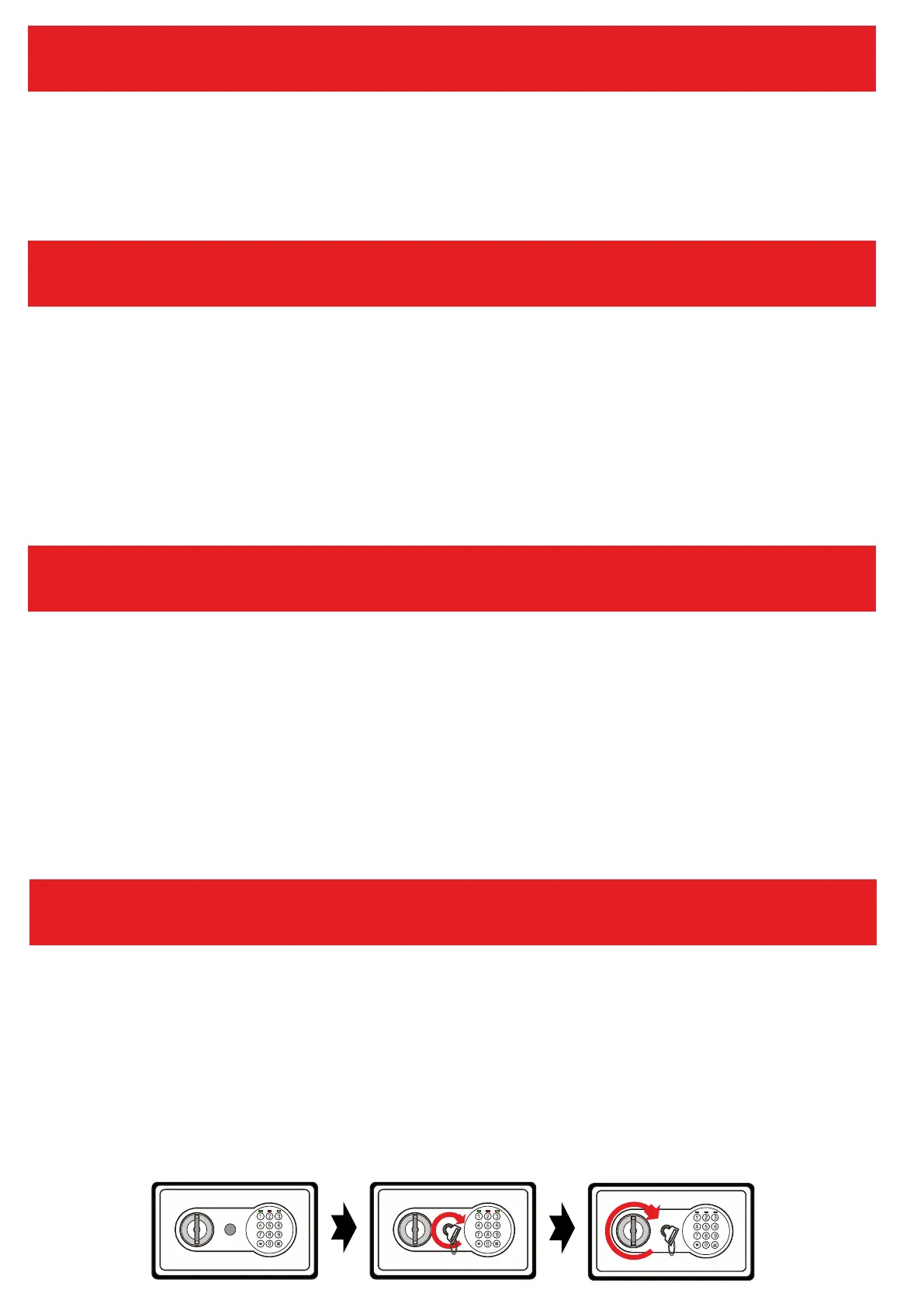
OPENING THE SAFE WITH THE EMERGENCY KEY
If you enter the PIN NUMBER incorrectly three times, a beep will sound
(20 seconds). During this time, the keyboard is locked.
Open the door of the safe and press once the RESET button (2) on the inside of
the door (see drawing). The YELLOW LED (8) lights up. Now enter your new PIN
number (3 to 8 digits) and confirm with the confirmation key "#" (9). The correct
input is confirmed by the safe by 2 beeps. If the YELLOW LED (8) flashes and
3 beeps sound, the input must be repeated. The PIN was not accepted.
Open the safe and input “0"-Button twice and press reset button (2). You can
input the setting PIN-Number when the YELLOW LED (8) light goes on. Input
the new Master-PIN code (3-8 digits). Then press the confirmigbutton "#" (9)
to confirm. It Will be confirmed by 2 beeps and the YELLOW LED (8) flashes
two times, then setting is done successfully. If the YELLOW LED (8) flashes
three times, it means the new code is invalid and should operate again.
Use the emergency key to open the safe if you forget your PIN number or if
the safe is not supplied with sufficient power (batteries are empty). Remove
the cover in front of the emergency opening (5). Insert the emergency key
into the lock and turn it to the right. Then turn the door opener (4) to the right
to open the door.



 To Next Page