16 Close the window with the remote control (figure ).
When doing so, hold the closing unit and ensure it
stays the same distance from the window.
Configure closing unit:
17 The closing unit will stop flashing once it is fully closed.
You can adjust the close-position using the adjustment
screw.
If the window does not close completely to normal position:
If the window is not close enough (the window moves or a draft
comes through the window), you must turn the adjustment
screw to the left (figure ).
For effective operation and a long battery life-span, we advise
not to configure the closing unit too tightly.
If the closing unit does not lock completely:
If the closing unit does not close properly, the LED light will
flash. In this case, the unit is too tight.
If the closing unit has been configured too tightly, you must turn
the adjustment screw to the right (figure ). Press the close
button on the remote control once again and check whether the
closing unit closes properly. Repeat this process until the unit
closes properly.
Final assembly
18 Screw the closing unit in place using the 2 screws
15
,
(4,0 x 40 mm, pre-drill Ø 2 mm), one on the left-hand side
and one on the right-hand side of the unit (figure
S
).
When screwing in place, ensure that the closing unit is at an
equal distance from the window casing.
19 Check whether the window opens and closes effortlessly
by fully opening and closing the window once.
Unscrew the outside bolts (M4x12) and repeat step 18 if
the window does not flow or close properly.
Assembly cover:
20 Slide the cover on to the closing unit, from front to back,
until it goes no further (figure ).
21 Place a plastic finishing cap
18
on each mounting screw of
the hopper window bracket.
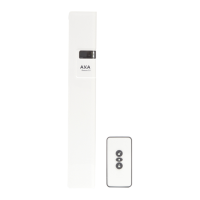
22 The AXA Remote 2.0 is ready for use.
Assembly adapter version:
23 Assemble the window unit in the same way as the battery
version (step 1 to/incl. 19). Remove the batteries before
connecting the adapter to the closing unit and the power
supply (figure
U
).
24 Decide whether you want the adapter wire to exit the
left-hand side or right-hand side of the closing unit (depen
ding on the location of the power socket).
Use cutters to cut a small snippet from the cover, in the
semi-perforated area (figure ).
Q
T
R
P
2
Q
R
T
P
AXA Remote 2.0
Remote-controlled window opener
U
V
V
5
37-224.2 (6-18)
EMC 2004/108/EC
EN


 To Next Page
 Loading...
