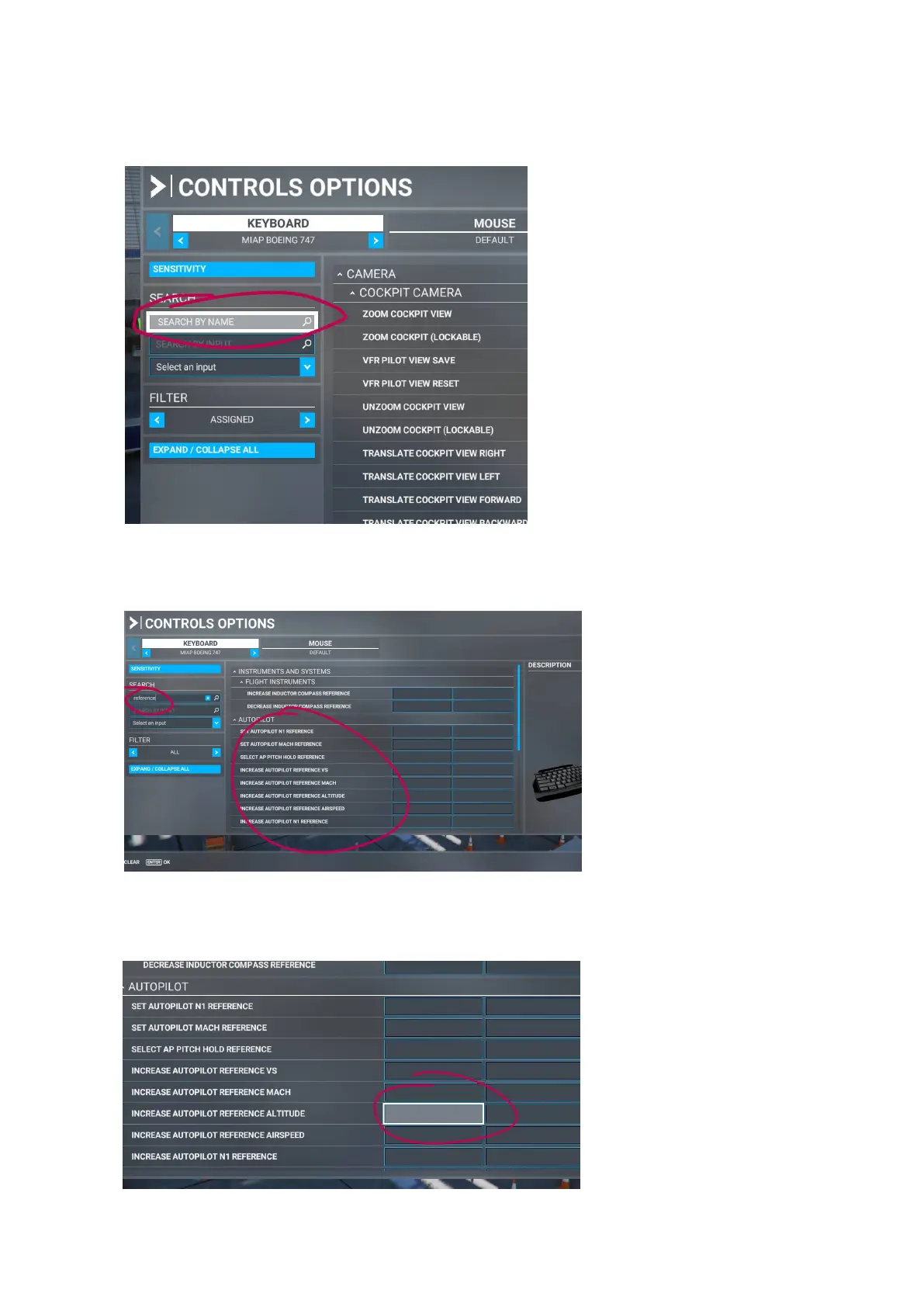
STEP 4: Click in the SEARCH BY NAME tab to search for the action you wish to assign, In this example we
choose to assign an action to a rotary knob that will increase the Autopilot altitude.
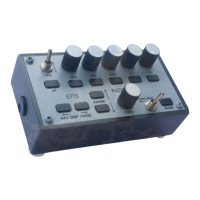
STEP 5: Type ‘reference’ and note that all actions that can be assigned and have reference in the name will
show up. (Note: make sure that FILTER below the SEARCH tab is set to show ‘ALL’ actions)
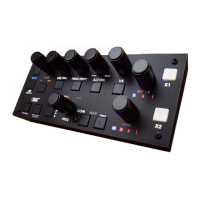
STEP 6: Click in the window (TAB) as highlighted. Note that there are 2 rows of Tabs, the second row can be
used to assign a secondary button or knob to the same action.


 To Next Page