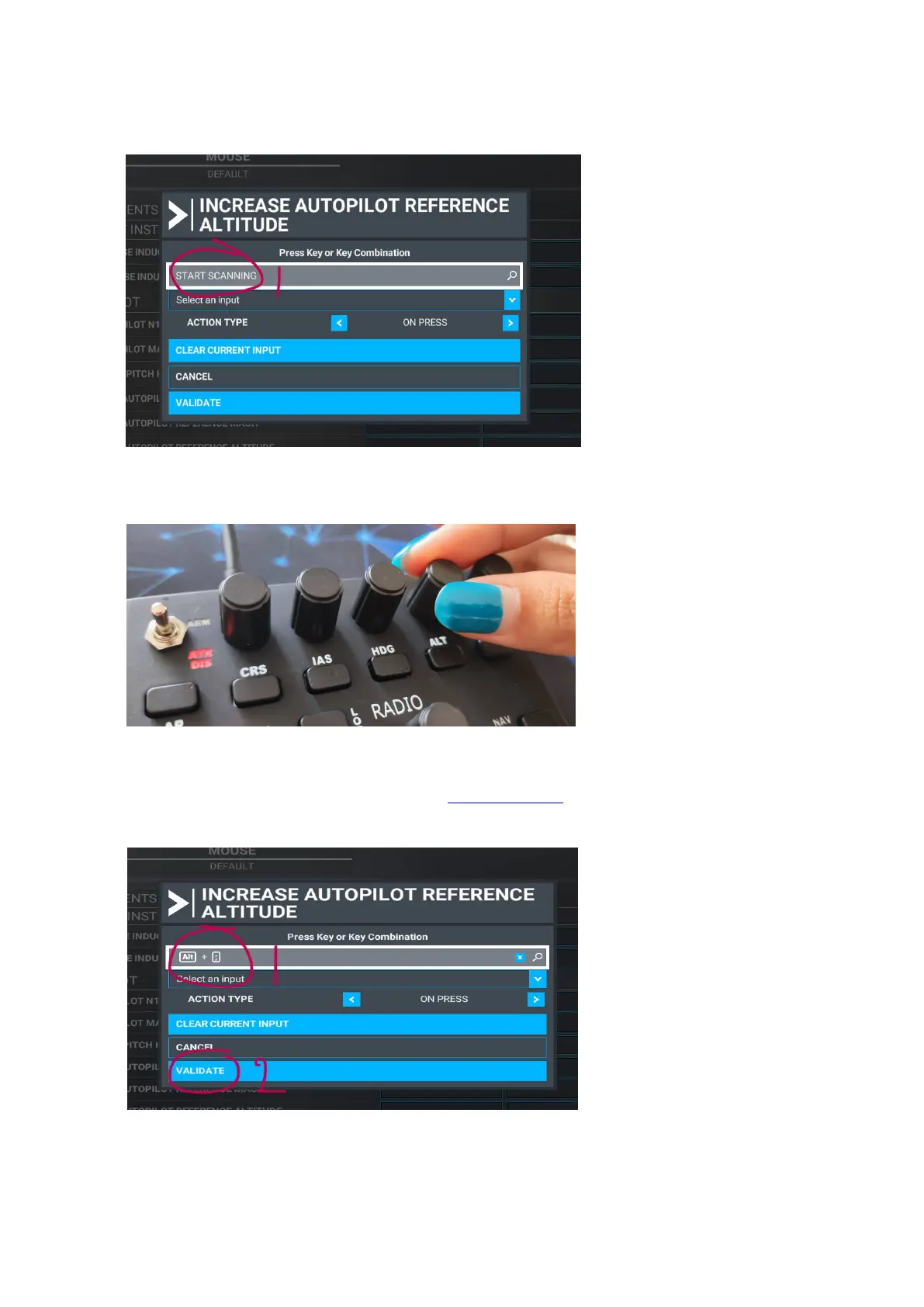
STEP 7: Click in the grey TAB showing ‘START SCANNING’
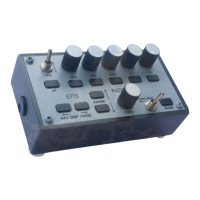
STEP 8: Rotate the ALT knob clockwise.
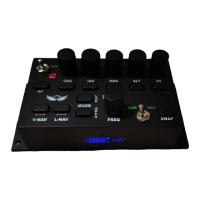
STEP 9: In this case “ALT + ; ” will show in the scan TAB. Use reference sheet A to check if the input is
correct. If it does show the string as recognized as in reference table ‘A’ than scan it again till it shows the
correct string. Next, validate the assigned action.


 To Next Page