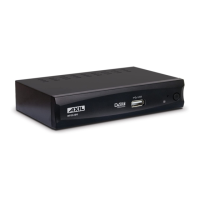
1
Table of contents
1 Front and Rear Panel .................................................................................................................... 1
1.1 Front Panel ............................................................................................................................. 1
1.2 Rear Panel .............................................................................................................................. 1
2 Remote Control .............................................................................................................................. 2
2.1 Key introduce ......................................................................................................................... 2
2.2 Installing the Batteries ........................................................................................................... 2
2.3Using the Remote Control ...................................................................................................... 2
3 Connections .................................................................................................................................... 3
4 First Time Installation .................................................................................................................... 3
4.1 Program Manage Settings ...................................................................................................... 3
4.1.1 Program Edit ............................................................................................................... 3
4.1.2 EPG (Electronic program guide) ................................................................................ 4
4.1.3 Sort ............................................................................................................................. 4
4.2 Video Setting ......................................................................................................................... 4
4.2.1 Aspect Ratio ............................................................................................................... 4
4.2.2 Resolution ................................................................................................................... 4
4.2.3 TV format ................................................................................................................... 4
4.2.4 Video output ............................................................................................................... 4
4.3 Channel Search ...................................................................................................................... 4
4.3.1 Satellite ....................................................................................................................... 5
4.3.2 Transponder ................................................................................................................ 6
4.3.3Unicable ....................................................................................................................... 6
4.4 Time Setting ........................................................................................................................... 6
4.5 Option .................................................................................................................................... 7
4.6 System .................................................................................................................................... 7
4.6.1 Set Password ............................................................................................................... 7
4.6.2 Restore Factory Default .............................................................................................. 7
4.6.3 Information ................................................................................................................. 7
4.6.4 Recall List ................................................................................................................... 7
4.6.5 Software update .......................................................................................................... 7
4.7 USB ........................................................................................................................................ 7
4.7.1 Multimedia: ................................................................................................................ 7
4.7.2 Photo configure: ......................................................................................................... 8
4.7.3 Movie Configure ............................................................................................ 8
4.7.4 PVR Configure ........................................................................................................ 8
5.Troubleshooting .............................................................................................................................. 9
6.Technical Specifications ................................................................................................................ 9
1 Front and Rear Panel
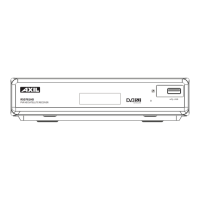
1.1 Front Panel
1. LED DISPLAY WINDOW: Used to display channel number.
2. STANDBY INDICATOR: Used to visually show power state of the set top box,
the LED will turn red if the set top box enter standby mode.
3. REMOTE CONTROL SENSOR: Used to receive the signal from the remote control.
4. USB: Data input from USB storage devices.
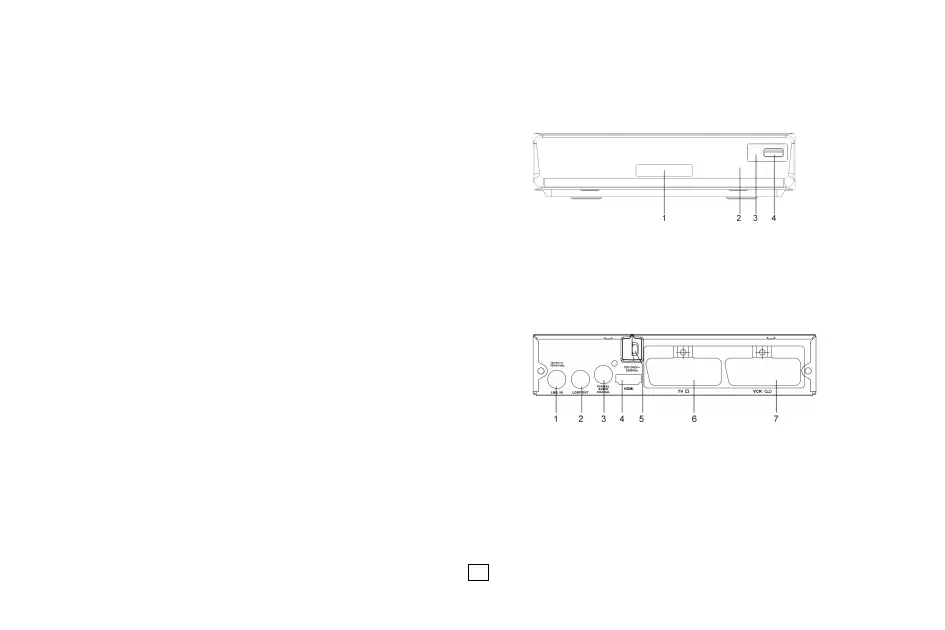
1.2 Rear Panel
1. LNB IN: Used to connect the LNB to receive the signal.
2. LOOP OUT: This socket will bypass the RF signal to another STB.
3. COAXIAL: This socket connects to a coaxial socket on your surround sound system.
4. HDMI OUT: This socket connects to HDMI in device.
5. MAINS CABLE: This is used to connect to your main power supply.
6. TV SCART: This socket connects to your TV.
7. VCR SCART: This socket connects to either a DVD or other video system.


 To Next Page
 Loading...