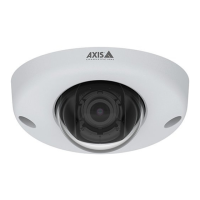
AXISQ9216–SLVNetworkCamera
Additionalsettings
3.Adjustthesize,color,andnameoftheprivacymaskaccordingtoyourneeds.
Showatextoverlayinthevideostreamwhenthedevicedetectsmotion
Thisexampleexplainshowtodisplaythetext“Motiondetected”whenthedevicedetectsmotion:
MakesurethatAXISVideoMotionDetectionisrunning:
1.GotoSettings>Apps>AXISVideoMotionDetection.
2.Starttheapplicationifitisnotalreadyrunning.
3.Makesureyouhavesetuptheapplicationaccordingtoyourneeds.
Addtheoverlaytext:
4.GotoSettings>Overlay.
5.Enter#Dinthetexteld.
6.Choosetextsizeandappearance.
Createarule:
7.GotoSystem>Events>Rulesandaddarule.
8.Typeanamefortherule.
9.Inthelistofconditions,selectAXISVideoMotionDetection.
10.Inthelistofactions,selectUseoverlaytext.
11.Selectaviewarea.
12.Type“Motiondetected”.
13.Settheduration.
14.ClickSave.
Adjustthecameraview(PTZ)
Tolearnmoreaboutdifferentpan,tilt,andzoomsettings,seePan,tilt,andzoom(PTZ)onpage18.
Createaguardtourwithpresetpositions
Aguardtourdisplaysthevideostreamfromdifferentpresetpositionseitherinapredeterminedorrandomorder,andforcongurable
periodsoftime.
1.GotoSettings>PTZ>Guardtours.
2.Click+.
3.Toedittheguardtour’sproperties,click
.
4.Typeanamefortheguardtourandspecifythepauselengthinminutesbetweeneachtour.
5.Ifyouwanttheguardtourtogotothepresetpositionsinarandomorder,turnonShufe.
6.ClickDone.
7.ClickAddtoaddthepresetpositionsthatyouwantinyourguardtour.
10



 To Next Page