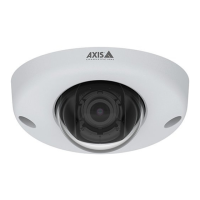
AXISQ9216–SLVNetworkCamera
Additionalsettings
Tocreateanewrecipient,click.Tocopyanexistingrecipient,click.
6.Typeasubjectandamessagefortheemail.
7.ClickSave.
Providevisualindicationofanongoingevent
YouhavetheoptiontoconnecttheAXISI/OIndicationLEDtoyournetworkcamera.ThisLEDcanbeconguredtoturnonwhenever
certaineventsoccurinthecamera.Forexample,toletpeopleknowthatvideorecordingisinprogress.
Requiredhardware
•AXISI/OIndicationLED
•AnAxisnetworkvideocamera
Note
AXISI/OIndicationLEDshouldbeconnectedtoanoutputport.
Note
ForinstructionsonhowtoconnecttheAXISI/OIndicationLED,seetheinstallationguideprovidedwiththeproduct.
ThefollowingexampleshowshowtocongurearulethatturnsontheAXISI/OIndicationLEDtoindicatethatcameraisrecording.
1.GotoSettings>System>I/OPorts.
2.MakesurethattheportyouconnectedtheAXISI/OIndicationLEDtoissettoOutput.SetthenormalstatetoOpen
circuit(NO).
3.GotoSettings>System>Events.
4.Createanewrule.
5.SelecttheConditionthatmustbemettotriggerthecameratostartrecording.Itcan,forexample,beatimescheduleor
motiondetection.
6.Inthelistofactions,selectRecordvideo.Selectastreamproleorcreateanew.AlsosetthePrebufferandPostbuffer
asrequired.
7.Savetherule.
8.CreateasecondruleandselectthesameConditionasintherstrule.
9.Inthelistofactions,selectToggleI/Owhiletheruleisactive,andthenselecttheporttheAXISI/OIndicationLEDis
connectedto.SetthestatetoActive.
10.Savetherule.
OtherscenarioswhereAXISI/OIndicationLEDcanbeusedareforexample:
•ConguretheLEDtoturnonwhenthecamerastarts,toindicatethepresenceofthecamera.SelectSystemreadyas
acondition.
•ConguretheLEDtoturnonwhenlivestreamisactivetoindicatethatapersonoraprogramisaccessingastreamfrom
thecamera.SelectLivestreamaccessedasacondition.
Savepowerwhennomotionisdetected
Thisexampleexplainshowtoturnonpowersavingmodewhennomotionisdetectedinthescene.
14



 To Next Page