Appendix A: Troubleshooting AXIS 200+ Users Manual
68
Symptoms Possible causes Remedial actions
The Power indicator is not
constantly lit.
Faulty power supply. Verify that you are using an Axis PS-D power supply.
The Network indicator is
not flashing randomly.
Faulty cabling. 1. To verify that the cables work, ping the address of a
known existing unit on your network.
2. If the cabling is OK and your network is reachable, you
should receive the reply similar to this:
...bytes = 32 time = 2 ms,
The Snapshot and Net
indicators are flashing
every 0.5 seconds.
Hardware failure. Contact your Axis dealer.
Your AXIS 200+ works
locally, but not externally.
Firewall protection. Check the Internet firewall with your system manager.
Default routers required. Check whether you need to configure the default routers
settings.
The Internet site is too
heavily loaded.
Use a script running on your web server to relay images
from the AXIS 200+ to the Internet. This is particularly
important when generating zoom and hugesize images.
No image using Refresh
and/or
Slow updating of
snapshots using
Server Push.
Complex images, i.e.
those containing great
picture contrasts, have
greater file size and thus
place greater demand on
the available file space
within the AXIS 200+.
The memory constraints become significantly more acute if
the same snapshot is accessed by multiple clients.
Try limiting the number of clients.
Triggering difficulties with
CRON scripts.
Unable to triggering on
both positive and nega-
tive transitions of the Con-
trol Button and/or IO ports
(double-edged trigger-
ing).
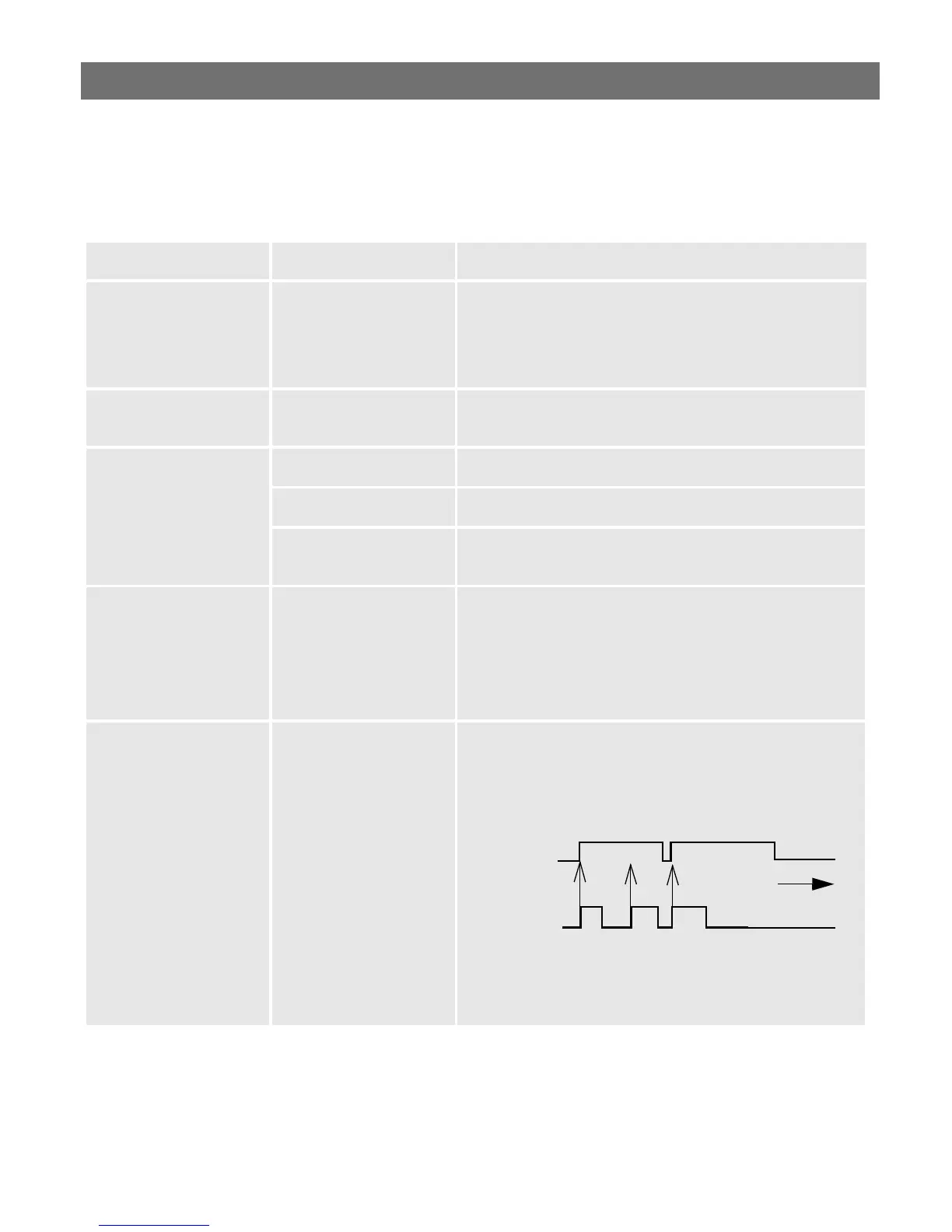
Repetitive trigger conditions that occur in quick succession
of one another can be missed. This is because the com-
mand initiated by the first trigger event may not have been
fully executed prior to the second event. This scenario is
demonstrated in the illustration below:
This feature has particular significance when using com-
mands that take a relatively long time to process, e.g. e-
mail, ftp, especially if they are conjugated with a loop state-
ment. See page 109.
Command
Command
T1
T2 T3
Command
Trigger
Time
?


 To Next Page
 Loading...


