IPP - Internet Printing Protocol
126 AXIS 5900 User’s Manual
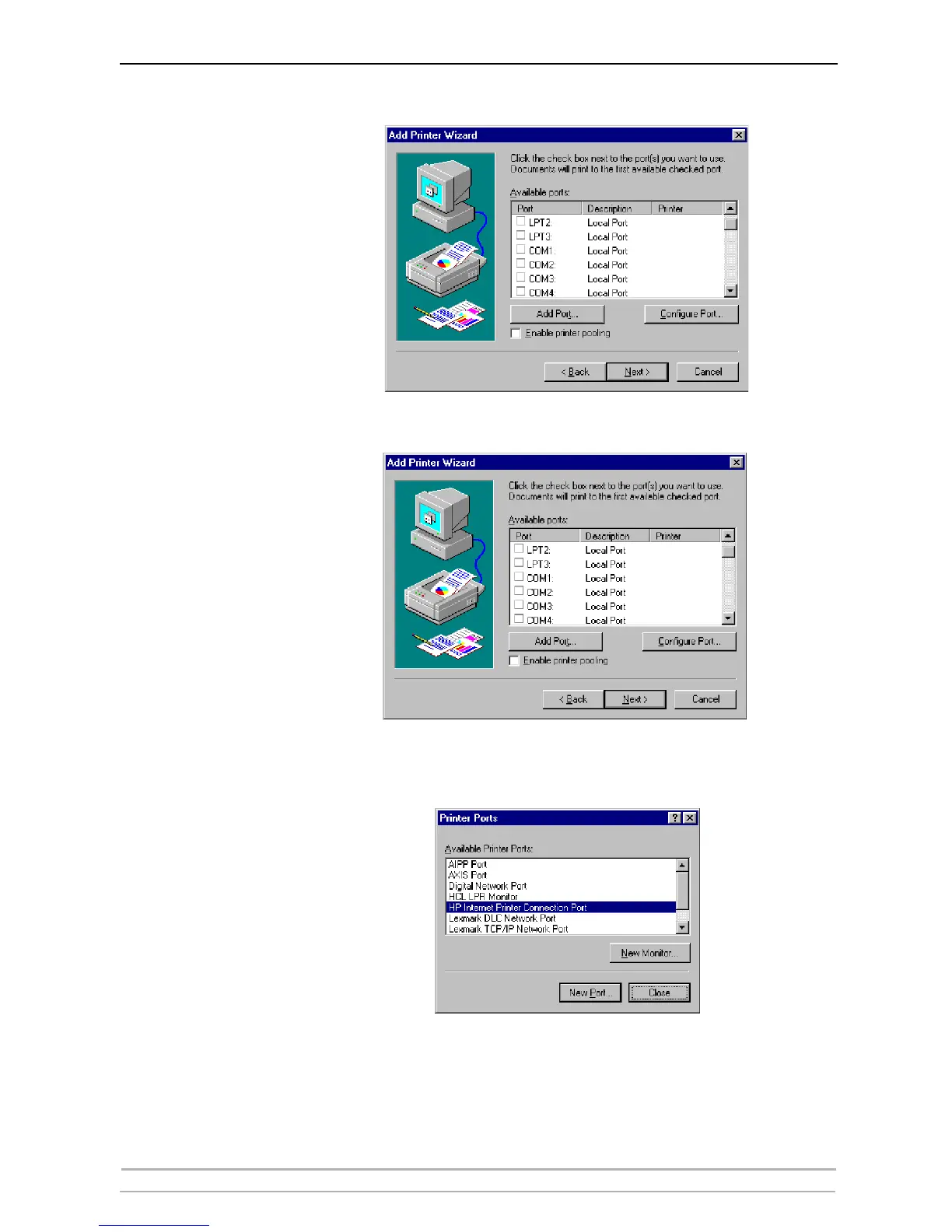
5. In the Available Ports window, click Add Port:
6. The Printer Ports dialog will appear, showing a list of Available Printer
Ports.
7. Choose The HP Internet Printer Connection Port and click New Port.
8. The HP Internet Printer Connection will start. Click Next.



 To Next Page