IPP - Internet Printing Protocol
AXIS 5900 User’s Manual 129
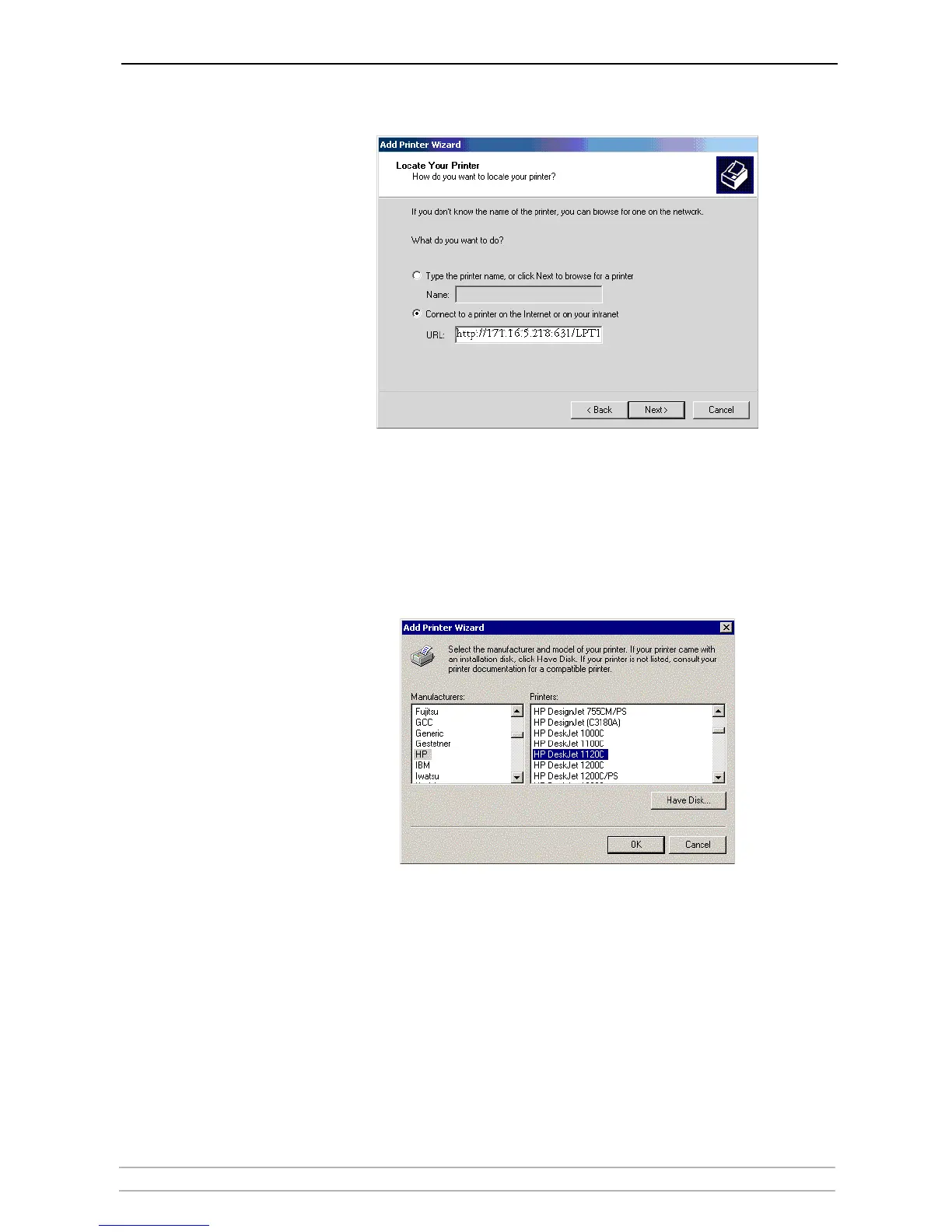
4. Enter the printer address in the URL field.
(Example: http://171.16.5.218:631/LPT1 or LPT2)
Click Next.
5. If you do not have a driver corresponding to the destination printer installed
on your computer, the Wizard will prompt you to install one. Click OK.
6. The Installation Wizard will ask you to select a printer driver corresponding
to the destination printer. Select the printer driver from the list and click OK.
7. The Wizard will ask you if you want the printer to be your default destination
printer. Make your choice and click Next to complete the Add Printer Wizard
installation.
8. The new printer is added to your Select Printer window.
9. You are now ready to print using IPP: specify your new destination printer
from the printer list and click Print.



 To Next Page