Basic Installation (Wired & Wireless)
AXIS 5900 User’s Manual 25
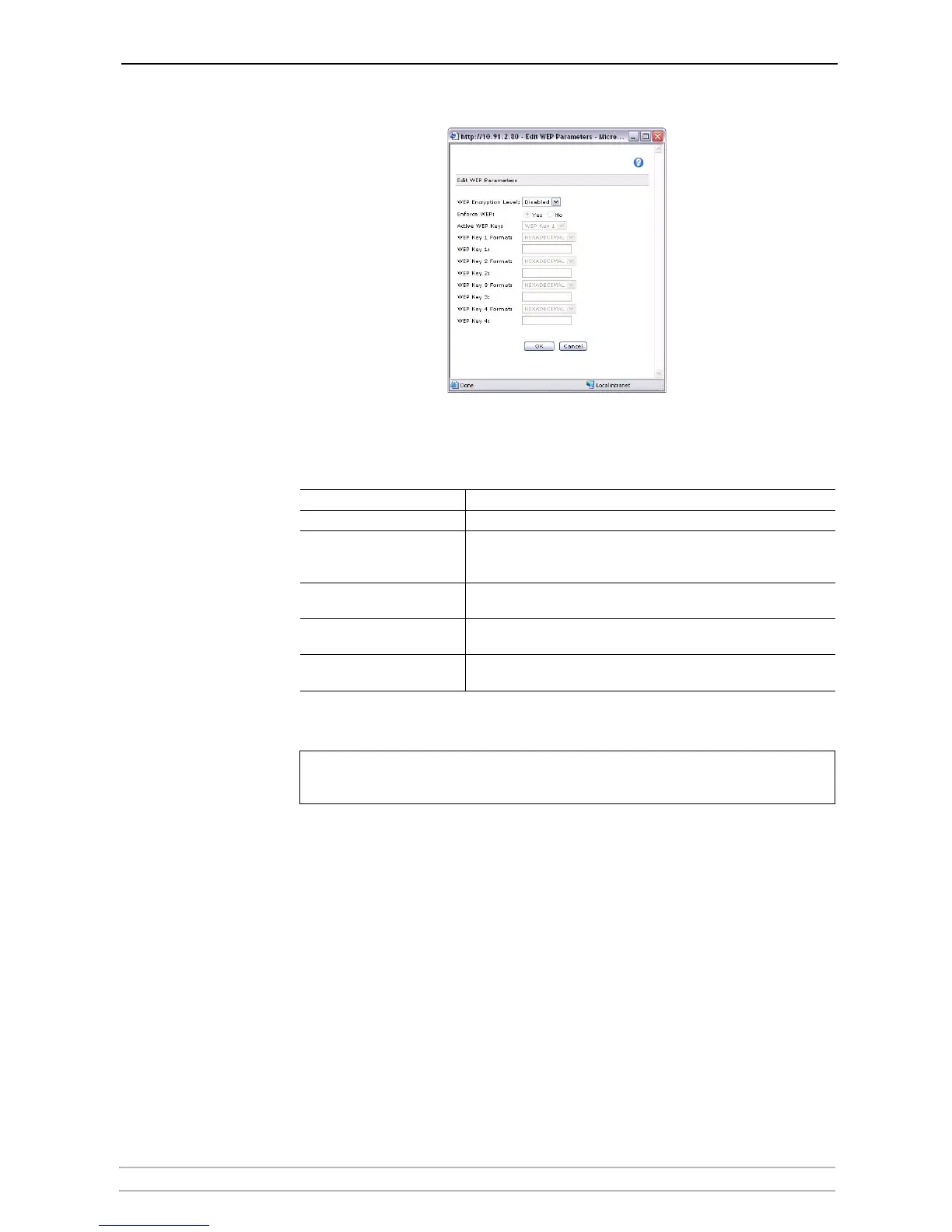
Edit WEP Parameters
Click the Edit WEP Parameters button. You will be prompted for the root
password (default pass). Enter the WEP keys and click OK to save your
settings.
Notes:
When you have entered the WLAN settings to match your network, click
OK to save your settings.
Proceed to “Configuring your Print Server” on page 26 to set up your Axis
Network Print Server and the connected printers for printing.
WLAN Parameters Description
Edit WEP Parameters Click the button to access the WEP parameter settings
WEP Encryption Level
WEP security. The default setting is that WEP encryption is disabled.
Select 64 Bit or 128 Bit security level. 128 Bit encryption level is the
highest level of security but may reduce the performance level.
Active WEP key
Select the appropriate WEP key as specified by the network
administrator
WEP key x
Enter the WEP keys (as ASCII or as hexadecimal values) specified by the
network administrator
Enforce WEP
When enabled, the print server will not allow access to clients without a
WEP key
Once you have clicked the OK button, the WEP parameter settings will be
saved and cannot be cancelled by clicking Cancel on the WLAN page.



 To Next Page