Adding Printers in Windows
AXIS 5900 User’s Manual 35
Installing a Network
printer
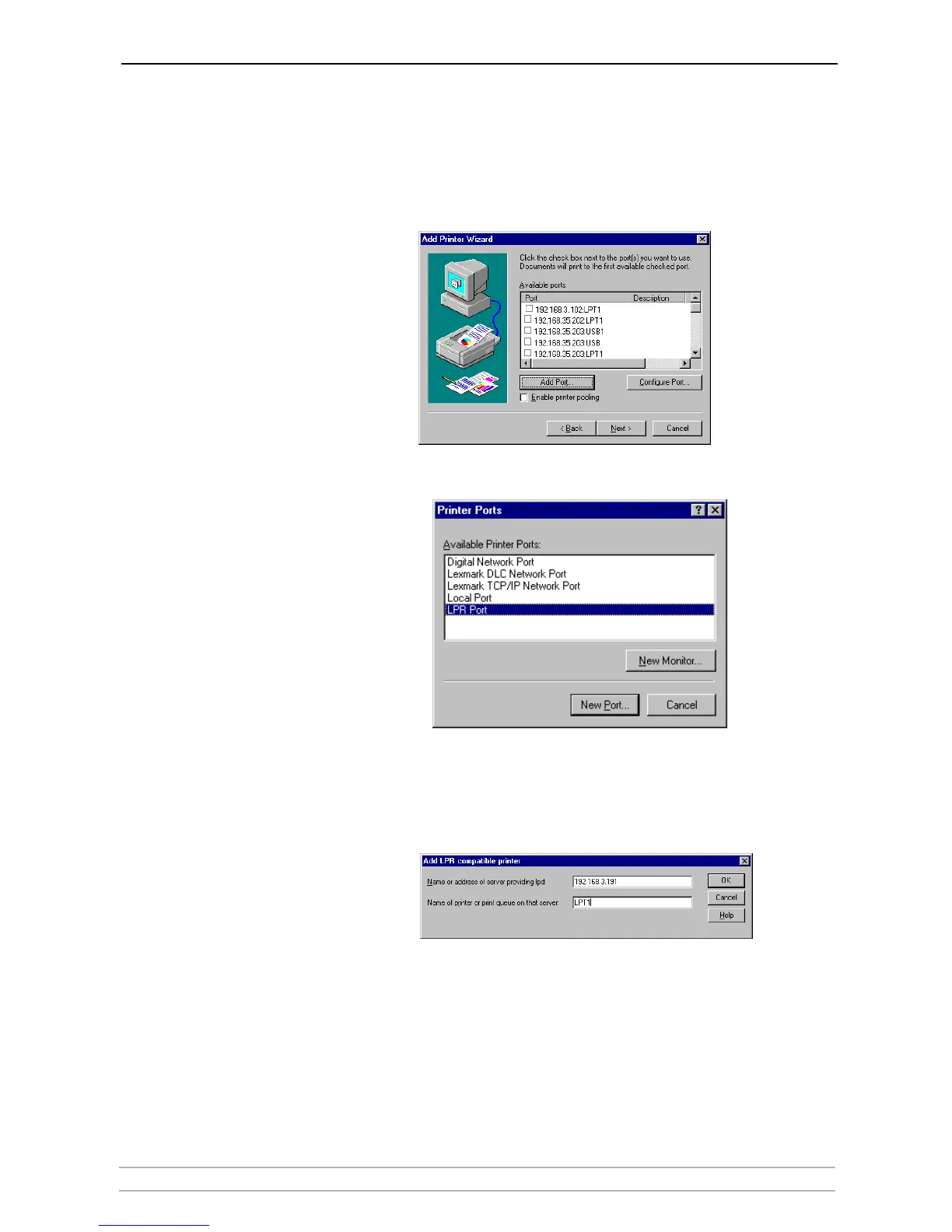
1. Go to Start | Settings | Printers | Add Printer. Select My Computer and
click Next.
2. From the Available Ports list, choose the appropriate printer port, which will
appear as the IP address or host name of the print server. If it doesn’t appear
in the list, click Add Port.
3. Choose LPR Port from Available Printer Ports and click New Port.
4. Type the print server’s IP address (or host name) in the field Name or address
of server providing lpd (Example: 192.168.3.191). Enter which port to use
in the field Name of printer or print queue on that server (LPT1 or LPT2).
Click OK and then Close.
5. The added print server will now appear in the Available Ports list. Click Next,
choose a driver and finish the installation as usual.



 To Next Page