Adding Printers in NetWare
52 AXIS 5900 User’s Manual
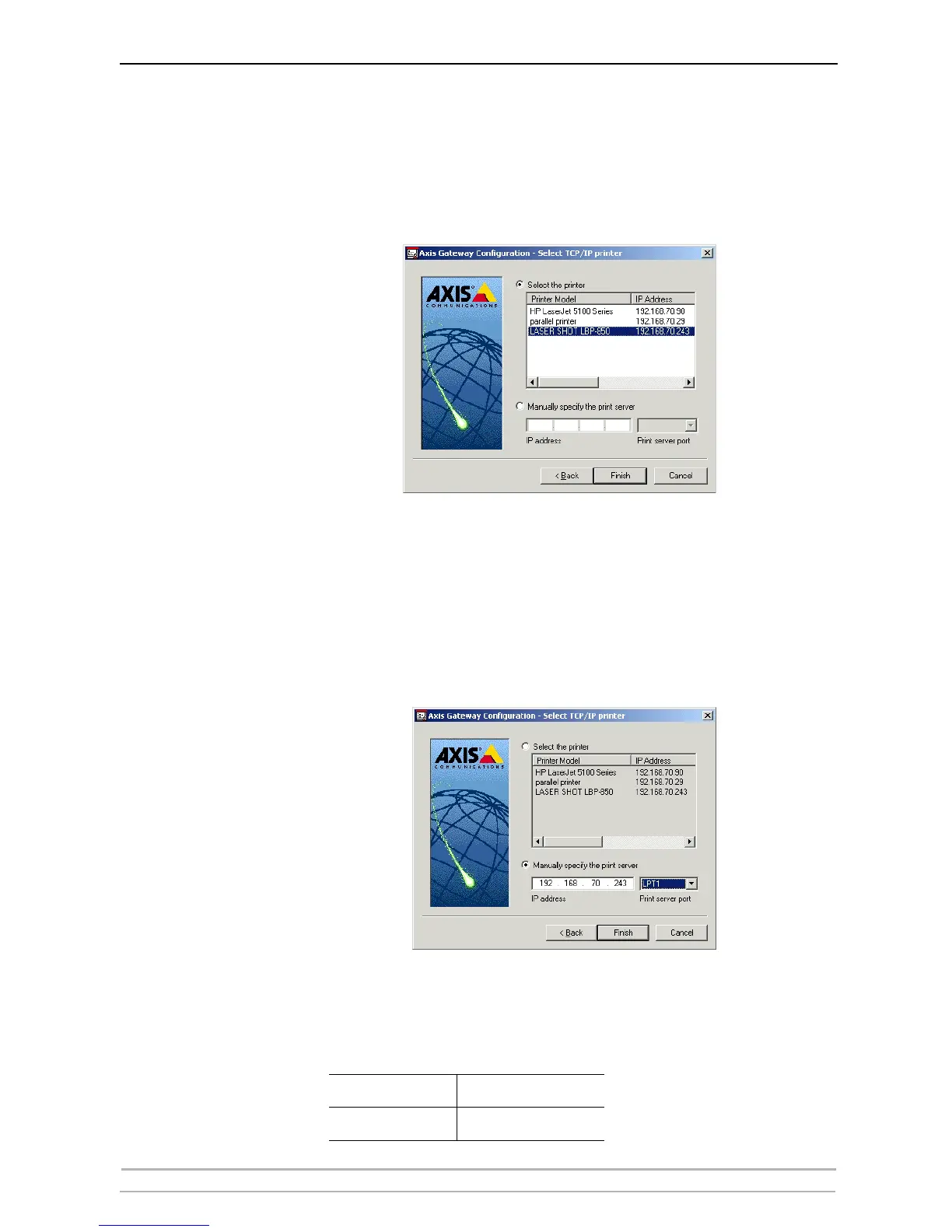
9. You will find the print server in the next window with the printer attached
on the connected port. Depending on the transport protocol you used when
you start the installation, the print server should appear as following:
• TCP/IP Network protocol:
IP Address and Port, e.g: 192.168.70.243 and LPT1 (or LPT2).
Only the ports with a connected printer show up in this window. If
the printer is not in the displayed print list, click Manually specify
the print server and do the following:
Enter the print server’s IP address in the IP Address field and choose
a port in the Print server port field: e.g., 192.168.70.243 and LPT1
(or LPT2).
IPX Network protocol:
All the available ports will be presented, regardless if the printers are
or not connected to those ports, e.g.
LPT1
AXIS5FF66A_P1
LPT2
AXIS5FF66A_P2



 To Next Page