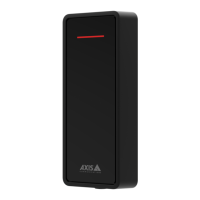
AXISA4x20Readers
Configureyourdevice
Configureyourdevice
ThedeviceworksasastandardOSDPreaderout-of-the-box.Youcanaccessspecicfeaturesandchangesettingsin
AXISCameraStationSecureEntry.BelowisanexampleofhowtocongurethedevicethroughAXISCameraStationSecureEntry.
Encryptedcommunication
AXISCameraStationSecureEntrysupportsOSDP(OpenSupervisedDeviceProtocol)SecureChanneltoenablelineencryption
betweencontrollerandAXISA4020-EReader.
ToturnonOSDPSecureChannelforentiresystem:
1.GotoConguration>Accesscontrol>Encryptedcommunication.
2.SpecifyyourmainencryptionkeyandclickOK.Tochangethemainencryptionkey,click
.
3.TurnonOSDPSecureChannel.Thisoptionisonlyavailableafteryouhavesetthemainencryptionkey.
4.Bydefault,theOSDPSecureChannelkeyisgeneratedbythemainencryptionkey.TomanuallysettheOSDPSecure
Channelkey:
4.1UnderOSDPSecureChannel,click
.
4.2ClearUsemainencryptionkeytogenerateOSDPSecureChannelkey.
4.3TypetheOSDPSecureChannelkeyandclickOK.
ToturnonorturnoffOSDPSecureChannelforaspecicreader,see.
3



 To Next Page