EasyManua.ls Logo

Axis AX1503BT - User Manual

Axis AX1503BT
12 pages
Print Icon
To Next Page IconTo Next Page
Loading...
&
&='9
;'1:*9449-()25
2:19.2*).&51&>*7
SPECIFICATIONS:
)'0'4#.
(NKR&QYP&GVCEJCDNG(CEG2CPGN
7NVTC/GOQT[6QTGVCKPRTGUGVUGVVKPIU
CHVGTDCVVGT[KUFKUEQPPGEVGF
.%&&KURNC[
+NNWOKPCVGF%QPVTQNU$NWG
+51&+0/QWPVKPI
+519KTKPI*CTPGUU
&KOGPUKQPU
%JCUUKU 9 Z * Z &OO
(TQPV2CPGN9Z*Z&OO
%J4%#.KPG1WV8QNV/CZ
%J4%#+PRWV4GCT
5RGCMGT+ORGFCPEG1JO
8QNV&%80GICVKXG)TQWPF
/CZ2QYGT9CVVUZ%J
/7.6+/'&+#
75$+PRWV(TQPV2CPGN
#7:+0(TQPV2CPGNOO
#7:+04GCT4%#
%&2.#;'4
5WRRQTVU%&%&449/29/#
'NGEVTQPKE5JQEM2TQVGEVKQP
+PVTQ4GRGCV4CPFQO2NC[6TCEM7R&QYP
5GNGEV
(QNFGT6TCEM(KNG5GCTEJ
DESIGNED FOR AUSTRALASIAN CONDITIONS
670'4
2..5[PVJGUK\GF#/(/5VGTGQ
:VTGOG.QPI4CPIG6WPGT
(/`/*\#/`-*\
+PVGTHGTGPEG#DUQTRVKQP%KTEWKV
5VCVKQP2TGUGVU(/#//GOQT[
5VCVKQP5GGM2TGUGV5ECP#WVQ5VQTG
.QECN&KUVCPV%QPVTQN
#WVQOCVKEQT/CPWCN6WPKPI
/QPQ5VGTGQ
&KIKVCN%NQEM
#7&+1%10641.
4QVCT['PEQFGT
$CPF&525GVVKPIU

'NGEVTQPKE8QNWOG$CNCPEG$CUU6TGDNG
$.7'6116*
$NWGVQQVJKP2JQPG/QFG
'ZVGTPCN/KETQRJQPG
2JQPG%QPVCEVU*KUVQT[
-G[RCFKP2CPGN(CEG
#WFKQ5VTGCOKPI#&2

%CNN*KUVQT[/GOQT[
7RITCFG(KTOYCTGXKC75$
+0%.7&'&
'ZVGTPCN/KETQRJQPG
+519KTKPI*CTPGUU
+PUVCNNCVKQP*CTFYCTG
Question and Answer IconNeed help?

Do you have a question about the Axis AX1503BT and is the answer not in the manual?

Overview

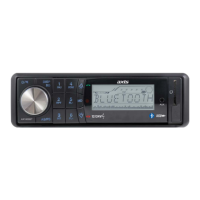
The Axis AX1503BT is a 12/24V Bluetooth/CD/MP3 Multimedia Player designed for car audio systems, offering a comprehensive set of features for entertainment and connectivity.

Function Description:

The device serves as a central multimedia hub for vehicles, supporting various audio sources including CDs, MP3/WMA files from USB, AM/FM radio, and Bluetooth audio streaming. It features a flip-down detachable face panel for security and a clear LCD display with illuminated blue controls for ease of use.

General Features:

  • Ultra Memory: Retains preset settings even after battery disconnection, ensuring a consistent user experience.
  • ISO DIN Mounting: Standardized mounting for easy installation in most vehicles.
  • ISO Wiring Harness: Simplifies electrical connections.
  • RCA Line Out: Two channels (5 Volt Max) for connecting external amplifiers.
  • RCA Input: Two channels (Rear) for additional audio sources.
  • Speaker Impedance: Compatible with 4 - 8 Ohm speakers.
  • Power Supply: Operates on 12/24 Volt DC (10.8-32V) negative ground systems.
  • Max Power Output: 40 Watts x 4 channels.

Multimedia Features:

  • USB Input: Front panel USB port for playing MP3/WMA files from USB storage devices.
  • AUX-IN: Front panel 3.5mm jack and rear RCA inputs for connecting external audio players.
  • CD Player: Supports CD, CD-R, CD-RW, MP3, and WMA formats.
    • Electronic Shock Protection: Minimizes audio interruptions during bumpy rides.
    • Playback Modes: Includes Intro, Repeat, Random Play, Track Up-Down Select, Folder/Track/File Search.

Tuner Features:

  • PLL Synthesized AM/FM Stereo: Provides stable and clear radio reception.
  • Xtreme Long Range Tuner: Enhanced reception capability.
  • Frequency Range: FM 87.5~108 MHz; AM 522~1710 KHz.
  • Interference Absorption Circuit: Reduces noise for better sound quality.
  • Station Presets: 30 station presets (18FM/12AM) for quick access to favorite stations.
  • Tuning Modes: Station Seek, Preset Scan, Auto Store, Local/Distant Control, Automatic or Manual Tuning.
  • Mono/Stereo: Option to switch between mono and stereo reception for FM.
  • Digital Clock: Integrated clock display.

Audio Control Features:

  • Rotary Encoder: Intuitive control for various audio settings.
  • 4-Band DSP Settings: Allows adjustment of Electronic Volume, Balance, Bass, and Treble.

Bluetooth Features:

  • Bluetooth in Phone Mode: Enables hands-free calling.
  • External Microphone: Included for clear voice communication.
  • Phone Contacts/History: Access phone contacts and call history directly from the unit.
  • Keypad in Panel Face: Integrated keypad for dialing numbers.
  • Audio Streaming (A2DP): Wirelessly stream audio from Bluetooth-enabled devices.
  • Call History Memory: Stores up to 20 call history entries.
  • Firmware Upgrade: Supports firmware upgrades via USB.

Usage Features:

Installation:

  • Requires careful selection of mounting location to avoid direct sunlight, high temperatures, dust, dirt, or excessive vibration.
  • Mounting angle can be adjusted to less than 20°.
  • The front panel must be removed before installation.

Detaching/Attaching Front Panel:

  • Press the OFF button, then the OPEN PANEL button to fully open the front panel.
  • Pull the panel towards you to detach.
  • Use the supplied case for storage when removed to prevent theft.
  • Clean the connector between the unit and front panel periodically with a cotton swab and contact cleaner to ensure proper function.

Operating Instructions:

  • Power On/Off: Press any key to power on; press and hold to turn off.
  • Volume Control: Turn the VOL knob (3) to adjust volume.
  • Function Select: Hold the VOL knob down to cycle through Bass, Treble, Balance, Fader, Initial Volume, and DSP settings.
  • Initial Volume Mode: Press SEL for 2 seconds to set the default volume level.
  • Adjust Time: Press SEL for 2 seconds to set hours and minutes using the VOL knob.
  • Audio DSP Controls: Press SEL for 2 seconds to select between Flat, Pop, Rock, and Classical equalizer modes.
  • Preset Stations (Radio Mode): Six numbered buttons (1-6) store and recall stations. Hold a button for over 1 second to store; press for less than 1 second to recall.
  • CD Player Mode Presets: Buttons 1-4 control Pause, Repeat, Intro, and Random playback.
  • Stereo/Mono Selector (ST): Toggles FM reception between stereo and mono to reduce noise.
  • Equalizer Control (EQ): Cycles through Off, Pop, Rock, Classic, and Flat equalizer modes.
  • Local/Distant Button (LOC): Scans for strong stations (LOC appears) or weak stations (Distant position).
  • Display (DISP): Switches display information (radio frequencies, clock, track, etc.).
  • Mode/Loudness Button (MODE): Selects AUX/TUNER/CD-MP3/USB/A2DP mode. Hold to activate Loudness mode.
  • Band Selector Button (BAND): Toggles through FM1, FM2, FM3, AM1, AM2 bands.
  • Automatic/Manual Tuning (FREQ UP/DOWN): Short press for automatic tuning; long press for manual tuning.
  • Automatically Store Stations (AS/PS): Hold for 3 seconds to store six strong stations in the current band. Press for 1-3 seconds to scan stored stations.
  • Scan (SCAN): Pauses at each station for 5 seconds. Hold a preset button to store.
  • Mute Button (MUTE): Disables/restores audio output.
  • CD Slot (17): Insert CDs here.
  • CD Eject Button (18): Ejects CD and switches to radio mode.
  • Pause Button (19): Pauses/resumes CD playback.
  • Repeat Button (20): Repeats the current track.
  • Intro Button (21): Previews the first few seconds of each track.
  • Random Button (22): Plays tracks in random order.
  • Folder Down/Up (23, 24): Navigates folders for MP3/WMA files.
  • USB Port (25): Connect USB storage devices.
  • AUX IN (26): Front and rear inputs for external audio.
  • Phone Mode (27): Activates Bluetooth phone functions.
  • Phone Number (28): Used for dialing.
  • Answer/End Call (29, 30): Buttons for managing calls.

Bluetooth Usage:

  • Connecting: Activate Bluetooth on phone, search for "CarBT," enter password "1234." "CONN OK" appears on display.
  • Call Accept/End: Press "Answer Call" button for incoming calls. During a call, press to pause/resume or long press to transfer to mobile phone. Press "End Call" to end.
  • Rejecting Call: Press "End Call" button for incoming calls.
  • To Call: Press "Phone Mode," enter number using keypad, press "Answer Call."
  • Redial: Hold "Answer Call" for 2 seconds to redial the last selected number.
  • Caller Lists: Press "Phone Mode" to access IN CALL (incoming) and OUT CALL (outgoing) lists. Turn multi-controller to navigate.
  • Telephone Book: Transfer up to 20 contacts from phone. Press "Phone Mode," select "PH BOOK," press "Phone Mode" again. Turn multi-controller to select entries.
  • Deleting Caller Lists/Phone Book: Hold "End Call" button until "RESET" appears to clear all Bluetooth data.
  • Audio Streaming (A2DP): Play audio from mobile phone; "A2DP" or "BT MUSIC" appears.
  • AVRCP (Audio Video Remote Control Profile): Use PAU/1 to stop/restart playback; use track buttons to navigate audio files on mobile phone.

Maintenance Features:

Fuse Replacement:

  • If a fuse blows, check power connections and replace with a fuse of the specified amperage.
  • Using a higher amperage fuse can cause serious damage and void the warranty.

Reset Button:

  • Located on the housing, behind the front panel.
  • Activate the reset button during initial installation with complete wiring, if function buttons freeze, or if an error symbol appears.

Memory Backup:

  • Equipped with built-in memory I.C. to save user settings (tuner presets, audio controls) even when power is disconnected.

Cautions:

  • Do not touch contacts on the front panel or unit body.
  • Avoid high temperatures, humidity, dropping the product, or tampering with internal components.
  • Always remove CDs when not in use.

Troubleshooting Guide:

  • No sound/power: Check speaker/power leads, replace blown fuse.
  • No sound in one channel: Check balance control, speaker wire/speaker.
  • Poor FM reception: Replace antenna, check antenna power wire.
  • CD sound quality poor: Use a different disc, clean disc, insert lens cleaning disc.

Technical Specifications:

CD/MP3/WMA Player Section:

  • Signal to Noise Ratio: > 60 dB
  • Channel Separation: > 50 dB (1kHz)
  • Frequency Response: 20Hz - 20 kHz

Tuner (FM):

  • Frequency Range: 87.5 - 108 MHz
  • Sensitivity: 2.8 μV
  • Stereo Separation: 30 dB
  • Signal to Noise Ratio: 50 dB
  • Channel Step: 100 kHz

Tuner (AM):

  • Frequency Range: 522 - 1710 KHz
  • Usable Sensitivity: 32 dBμV
  • Channel Step: 9 kHz

General:

  • Power Supply: 12/24V DC (10.8 - 32V allowable)
  • Speaker Impedance: 4 or 8 Ohm
  • Output Power: 40W x 4CH

RCA Out:

  • Frequency Response: 20 Hz - 20 KHz
  • Sensitivity: 200 mV
  • Output Impedance: 2 K
  • Max Output: 5 Volt (max.)

AUX In:

  • Frequency Response: 20 Hz - 20 KHz
  • Sensitivity: 775 mV
  • Input Impedance: 20 K

USB Operation and Compatibility:

  • USB 1.1, USB 2.0 Full Speed.
  • Note: Not all USB sticks or software formats may be compatible due to variety. USB hard drives are not supported.

Dimensions:

  • Chassis: 178(W)x50(H)x158(D) mm
  • Nose piece: 188(W)x58(H)x20(D) mm

The AX1503BT is designed for Australasian conditions and comes with a 2-year warranty.

Axis AX1503BT Specifications

General IconGeneral
BrandAxis
ModelAX1503BT
CategoryMedia Player
LanguageEnglish

Related product manuals