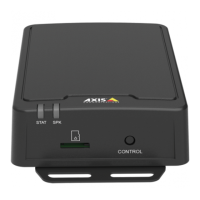
AXISC8210NetworkAudioAmplifier
Thedeviceinterface
Audio
Overview
Locatedevice:Clicktoplayasoundthathelpsyouidentifythespeaker.Forsomeproducts,aLEDwillashonthedevice.
Calibrate
:Clicktocalibratethespeaker.
LaunchAXISAudioManagerEdge:Clicktolaunchtheapplication.
Devicesettings
Input:Turnonoroffaudioinput.Showsthetypeofinput.
Inputtype:Selectthetypeofinput,forinstanceifit’samicrophoneorline-in.
Powertype:Selectpowertypeforyourinput.
Applychanges:Clicktoapplyyourselection.
Separategaincontrols
:Turnontoadjustthegainseparatelyforthedifferentinputtypes.
Automaticgaincontrol
:Turnontodynamicallyadaptthegaintochangesinthesound.
Gain:Usetheslidertochangethegain.Clickthemicrophoneicontomuteorunmute.
Output:Showsthetypeofoutput.
Gain:Usetheslidertochangethegain.Clickthespeakericontomuteorunmute.
Stream
Encoding:Selecttheencodingtousefortheinputsourcestreaming.Youcanonlychooseencodingifaudioinputisturnedon.If
audioinputistunedoff,clickEnableaudioinputtoturniton.
Echocancellation:Turnontoremoveechoesduringtwo-waycommunication.
Audioclips
Addclip:Clicktoaddanewaudioclip.
Clicktoplaytheaudioclip.
Clicktostopplayingtheaudioclip.
Thecontextmenucontains:
•Rename:Changethenameoftheaudioclip.
14


 To Next Page