6
INSTALLATION cont...
USE
1 - Connect the Device to Mobile Phone
Settings--- WiFi--- Select “M-XXXXX“--- Enter password “12345678“---
Connect--- Open CarCam APP--- Success.
The default WiFi password is 12345678
Scan barcode above with suitable smartphone APP or simply
search for “MK Smart Carcam” on Android or IOS device.
++
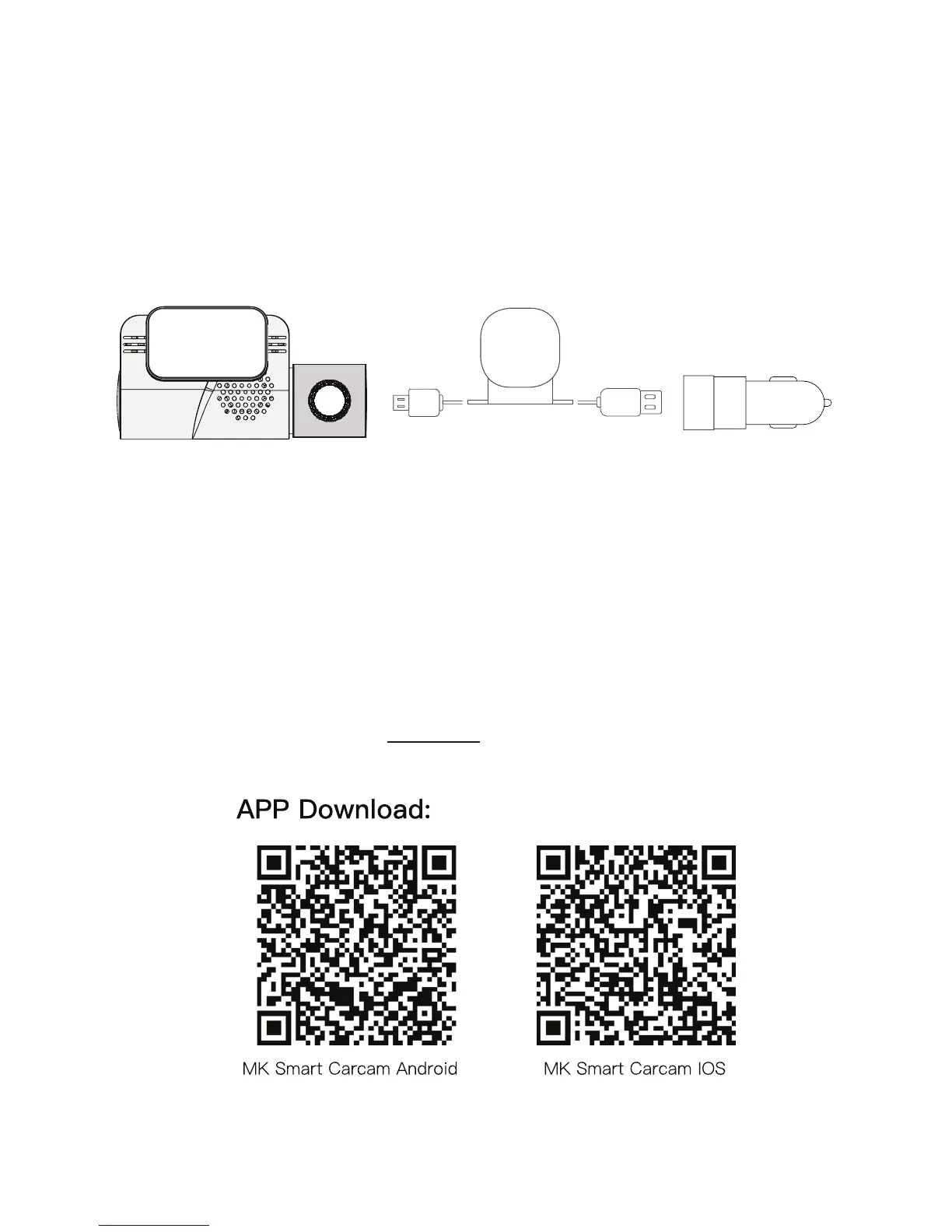
4 - Connect the Device
Please connect the unit to the USB Cig Power Adaptor with the 4m Power/
GPS Cable. The unit will start to record when accessories is ON and will turn
OFF when accessories is OFF. (Use the 2.1A port)
GPS
Antenna
4m Power/GPS
Cable
Front Cam Dual USB Cig
Power Adaptor


 To Next Page