USE cont...
5 - Parking Monitor
The parking monitor setting button is on the opening page of the APP. When
you open it, the dash cam will begin to detect the car’s movement.
If the car is stationary for more than 5 minutes and the APP is not connected
to the device, the Dash Cam will start Parking Monitor Mode*.
When the following 3 situations occur, the Dash Cam will start normal
recording:
1) Mobile Phone is connected to the APP
2) Trigger Gesture capture
3) Continuous Vibration for more than 2 minutes.
* NOTE: Constant Power to the unit is required for this function
6 - Rear Camera
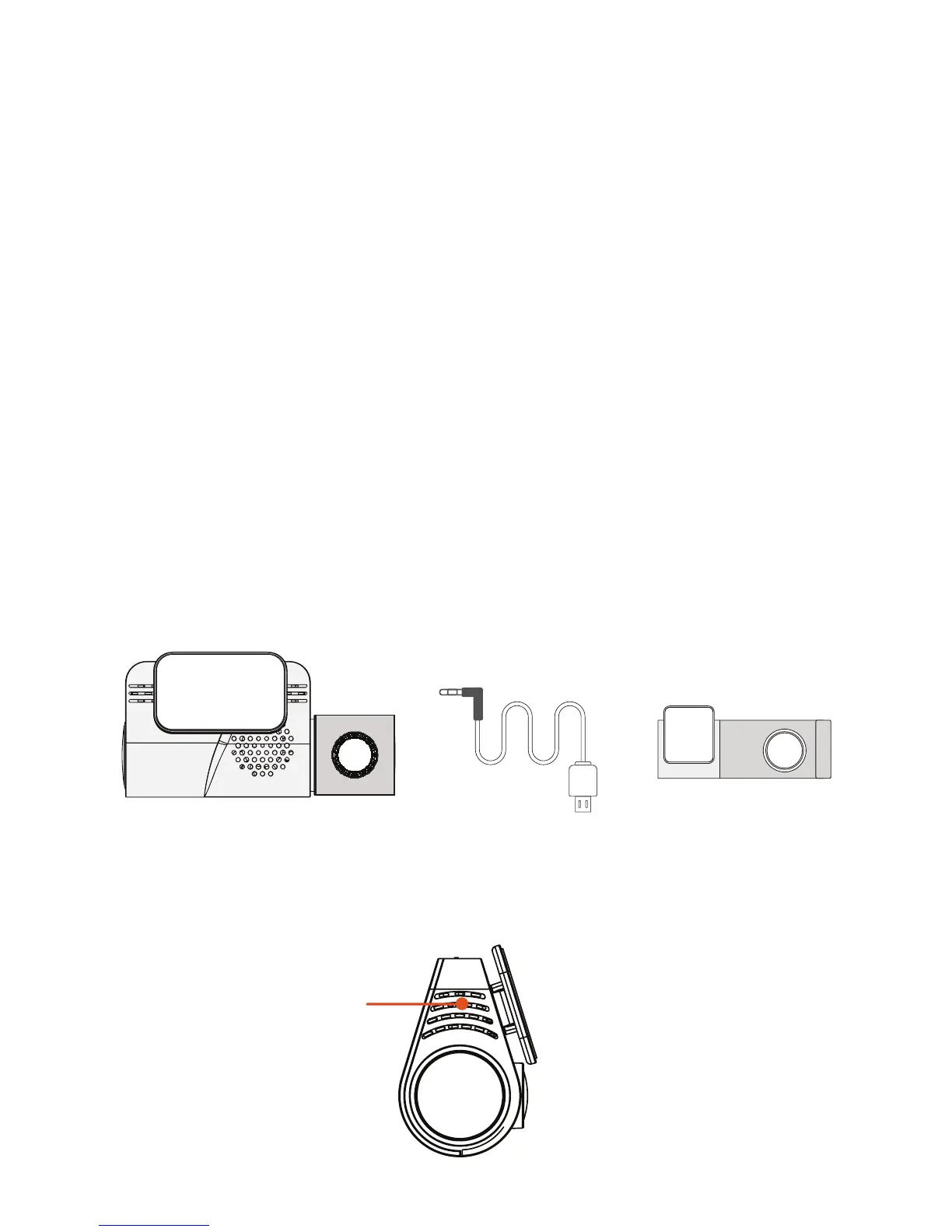
You can install the rear Dash Cam on the rear window of your vehicle.
It is best to have it installed by a professional installer.
7 - Reset
Press the reset button for a few seconds to reset the device.
Connecting Rear Cam to Front Cam:
++
6m Rear Facing
Dash Cam Cable
Front Cam
Reset
Rear Cam


 To Next Page